
Someone taps an ad on Instagram and a WhatsApp chat opens immediately. Someone else clicks a Google ad, lands on your page, and taps the WhatsApp button there. Both become customers. You know what you spent on ads, and you know what the business took, but you do not know how much of that revenue came from the ads at all, let alone which ad, which keyword or which campaign produced it.
That gap is not a reporting inconvenience. Your bidding algorithms use conversion data to decide which users to show your ads to next. Without accurate conversion signals, they optimise for clicks that never convert and deprioritise the segments that do. Over time, campaign performance deteriorates quietly and there is no obvious reason why.
The problem is structural rather than a gap in your setup, and it takes a different shape depending on how people reach you. This post covers both, why firing a conversion on the WhatsApp button click makes things worse rather than better, what your WhatsApp account has to be for any of it to work, how to bridge each path, the hidden problem that silently destroys tracking data before your system ever sees it, and which approach fits your situation.
Table of Contents
The Two Ways People Reach Your WhatsApp
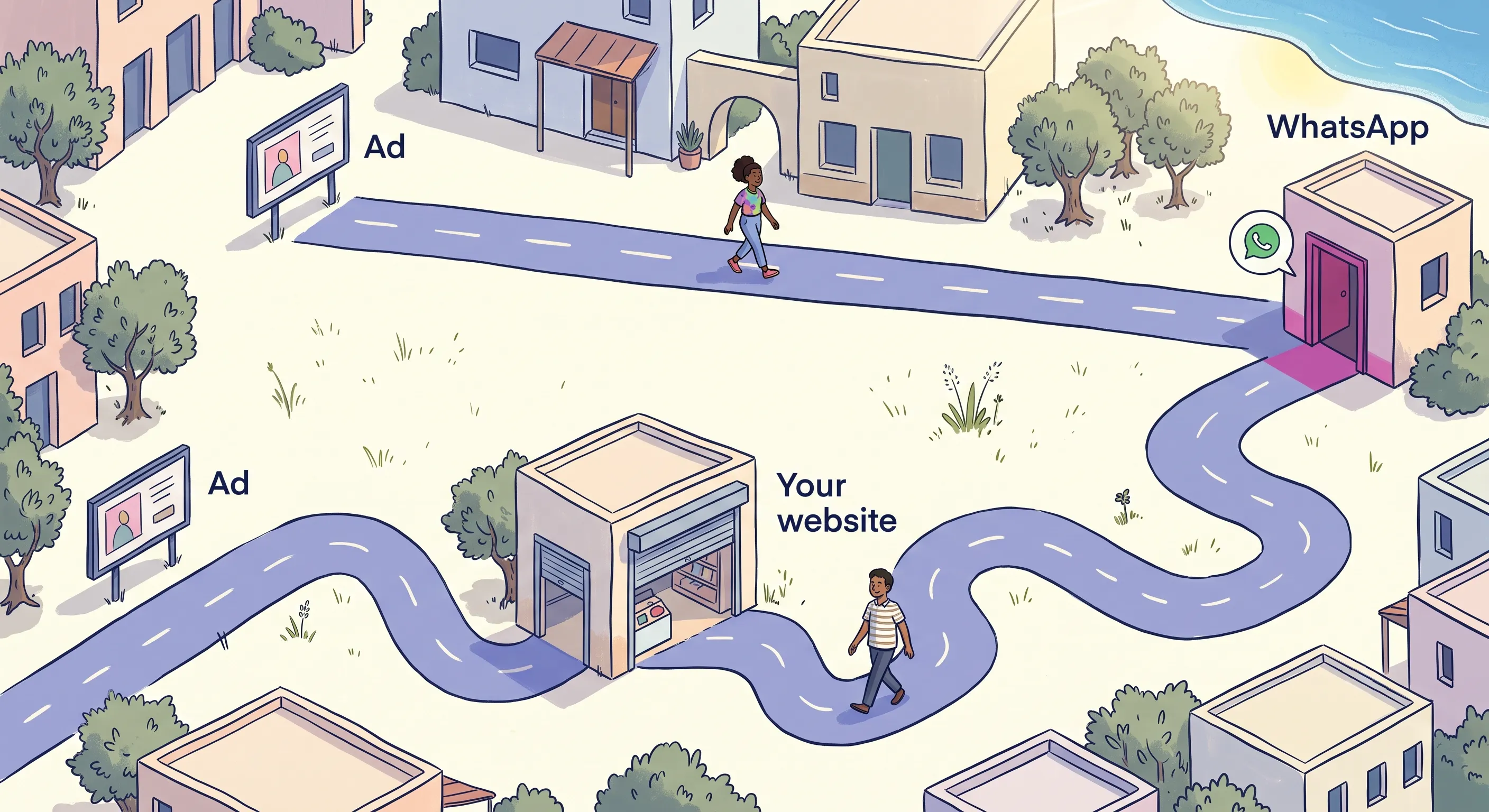
People arrive at your WhatsApp in two different ways, and attribution breaks in opposite directions depending on which one they took.
When the Ad Opens WhatsApp Directly
Click-to-WhatsApp ads on Facebook and Instagram, TikTok‘s instant messaging ads, and Google‘s message assets on Search all deep-link the person straight into a chat. There is no landing page, no browser session and no URL to carry a click identifier, and nothing breaks on the way in because there is no boundary to cross.
The loss happens further down. Your ad platform knows a conversation started and knows nothing about what it became: whether the person bought, booked, qualified as a lead, or read the first reply and disappeared. Those outcomes are recorded in your inbox, your CRM (the system that holds your customer records) and usually the system where the order is actually raised, all on the far side of a boundary the platform cannot cross. Unless you send the outcome back deliberately, the platform is optimising toward chat openings, which is a different business from yours.
When Your Website Is in the Middle
A Google Search ad, an organic result, a link in an email or a QR code on your packaging brings someone to your site, and they tap a WhatsApp button while they are there.
The moment of breakage.
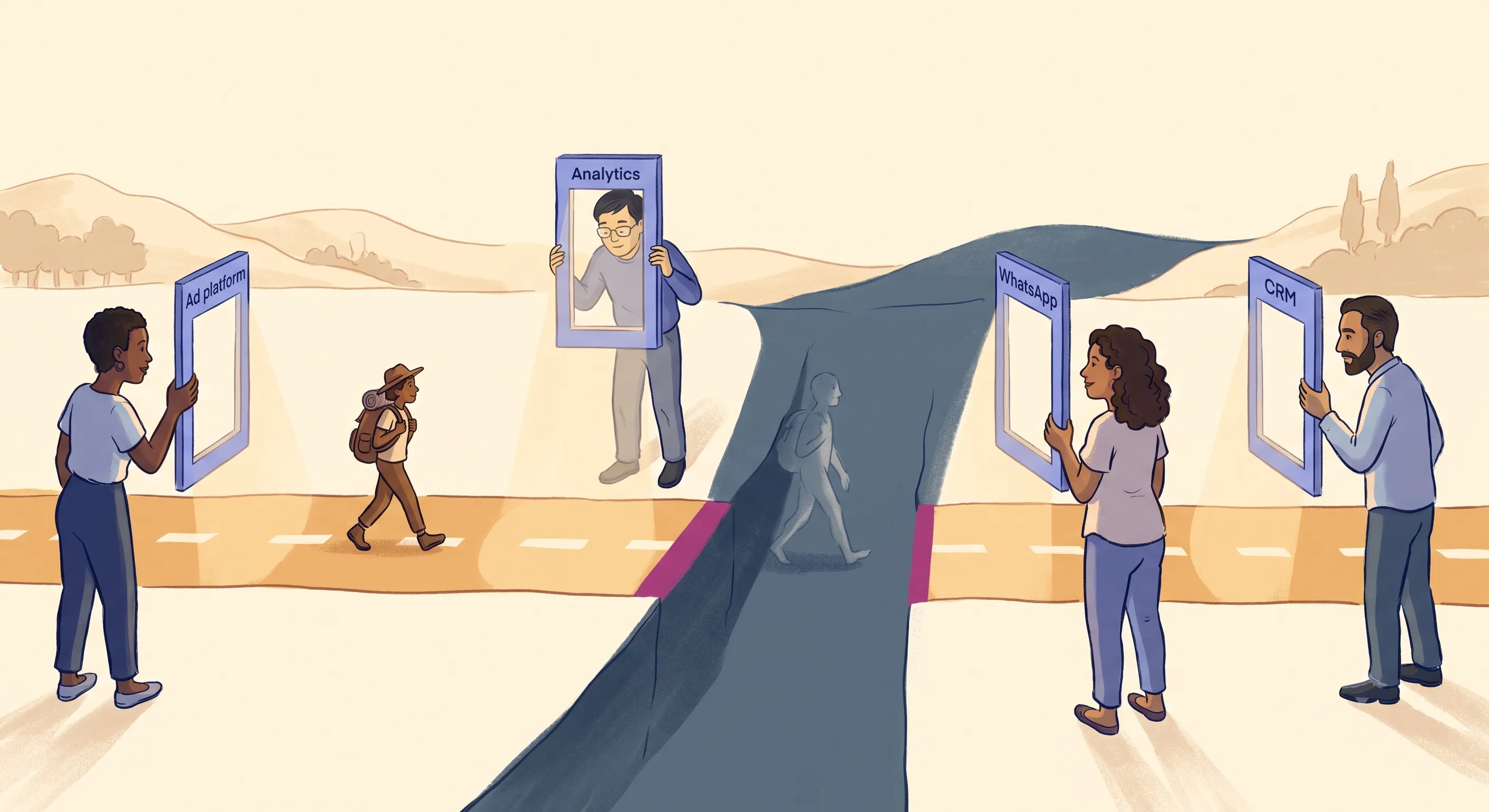
Web tracking follows a visitor through a session using cookies, browser state and tracking scripts, all of which belong to your own domain. Tapping the WhatsApp button hands that visitor to WhatsApp, and that is where your visibility stops.
On a phone the tap opens the WhatsApp app. On a desktop it opens either the WhatsApp desktop application or WhatsApp Web in a browser tab, depending on what is installed. All three end the same way, and WhatsApp Web is the one that shows why: it is still a browser and still a tab, so the break is not the browser closing. It is arriving at an origin you do not own and have no tracking on. Your scripts do not run there, your cookies cannot be read there, and nothing about where that visitor came from travels with them.
What each system sees after that tap creates the gap:
- Your ad platform records a click and possibly a landing page visit. That is where its visibility ends.
- Your web analytics (
Google Analytics 4, for example) records the session ending whenWhatsAppopens. Depending on how the link is configured, it may log the user as a bounce. - Your
WhatsAppinbox shows a new inbound message with no context about where the person came from. - Your
CRMlogs a new lead or contact with an unknown source.
The result is four systems with four partial views of the same customer journey and no common thread connecting them.
The Two Paths Side by Side
Which path your traffic takes decides which fix is even available to you. Where the ad opens WhatsApp directly, no amount of tag manager configuration or cookie work helps, because there is no browser to configure. Where your website sits in the middle, the platform’s native reporting cannot rescue you, because your traffic never touched it.
The ad opens WhatsApp directly | Your website is in the middle | |
|---|---|---|
| Browser in the journey | No | Yes |
| Where it breaks | Downstream: the platform sees the chat start, not the sale | Upstream: identity is lost at the hand-off to WhatsApp |
| Native visibility | Yes on Meta: chat openings show in Ads Manager for everyone, the ctwa_clid only reaches you with API access | None |
| Shape of the fix | Send outcomes back through the Conversions API | Capture identity before the hand-off, then report the outcome |
The consequence is the same either way, and it is worth being blunt about what it costs. Google Ads and Meta Ads improve their targeting using the conversions you report to them. Report none, and they optimise for what they can still see, which is clicks and chat openings, and they get very good at buying those. Your cost per click falls while your cost per actual customer rises. The reports look like the campaign is improving at exactly the moment it is getting more expensive to acquire anyone real.
Why the Button Click Is Not a Conversion
Before any of the fixes, there is a mistake worth removing, because it makes WhatsApp attribution worse while looking like it has been solved.
The WhatsApp button is easy to track. It is an element on your page, a tag manager can fire on it in a few minutes, and the number it produces goes up reliably. So it gets wired to a conversion action, imported into Google Ads or Meta, and treated as the thing worth optimising.
The number is not measuring what you think.
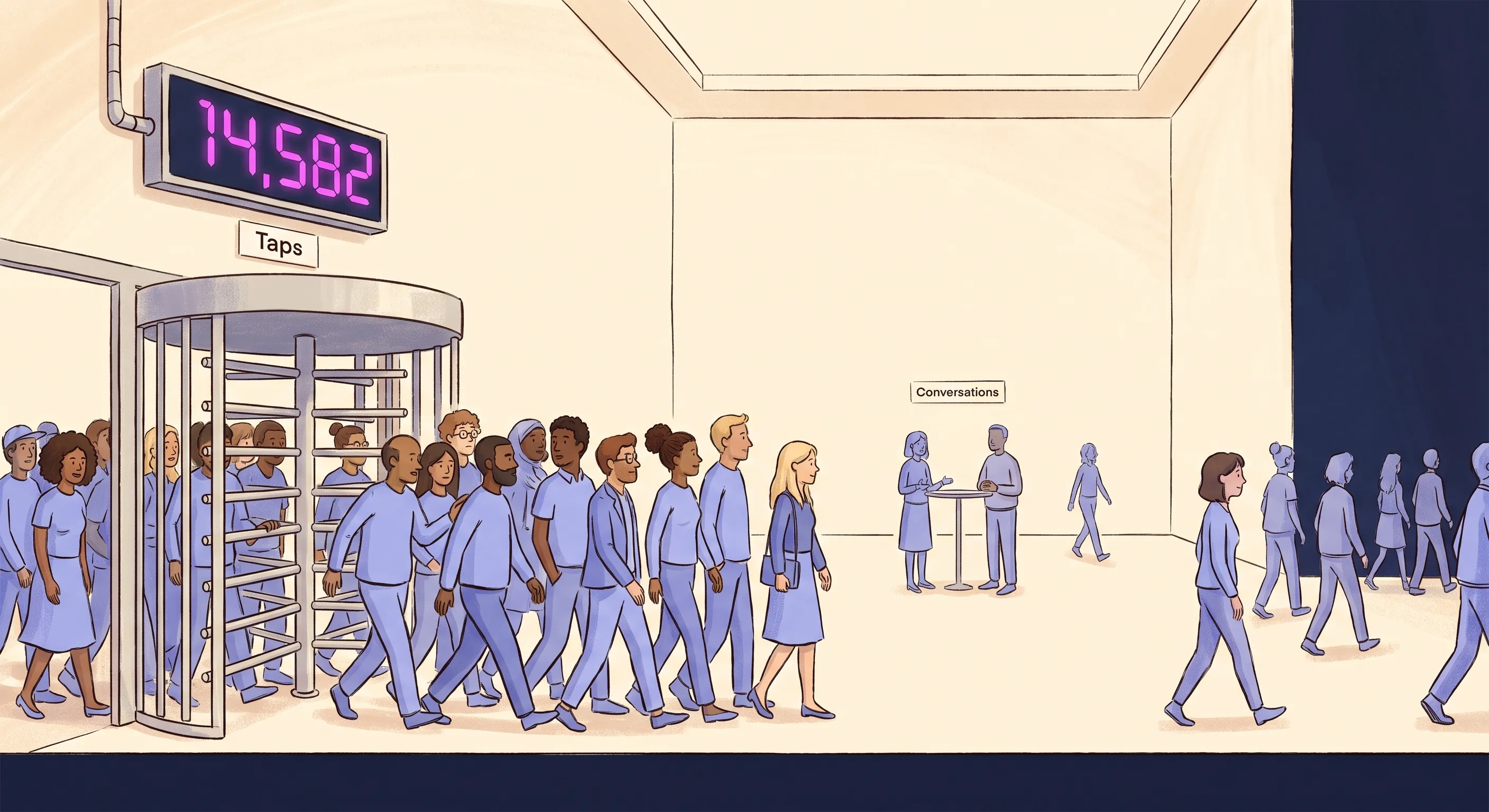
A tap opens WhatsApp. It does not send a message. The app opens, the pre-filled message sits there unsent, and a share of those people close it, get distracted, or never intended to message at all and caught the button with a thumb. Every one of them is counted as a conversion, and not one of them reached your inbox.
You do not know how large your own gap is.
A tap-to-message rate measured on somebody else’s funnel, on somebody else’s traffic, in somebody else’s market, tells you nothing about yours. Sizing your own inflation from a borrowed number is the same mistake as trusting the tap count in the first place: both substitute a convenient measurement for the one that matters. The only figure that tells you anything is the ratio between taps on your button and messages in your inbox, and if you are firing conversions on the tap, that is precisely the number you are not measuring.
Inflation is the smaller half of the problem.
Ad platforms optimise faithfully toward whatever you have called a conversion. Tell Google that a button tap is the outcome you value and it will go and find more people who tap buttons: the distracted, the accidental, and the merely curious, because those are abundant and cheap. Report intent instead and it goes and finds intent. The signal is not simply wrong, it is actively training the account toward the wrong audience, and lead quality declines for a reason that never appears in any report.
The same mistake has a different name where the ad opens WhatsApp directly. Meta counts “entry-point conversations” natively, and optimising campaigns on that count produces the same result: the algorithm delivers people who open chats rather than people who buy, and lead quality declines the same way.
Where You Draw the Line Is a Business Decision
A WhatsApp journey produces a sequence you can observe: the button tap, the first message, a lead you have qualified, and money. Each is closer to revenue than the last, and rarer than the last.
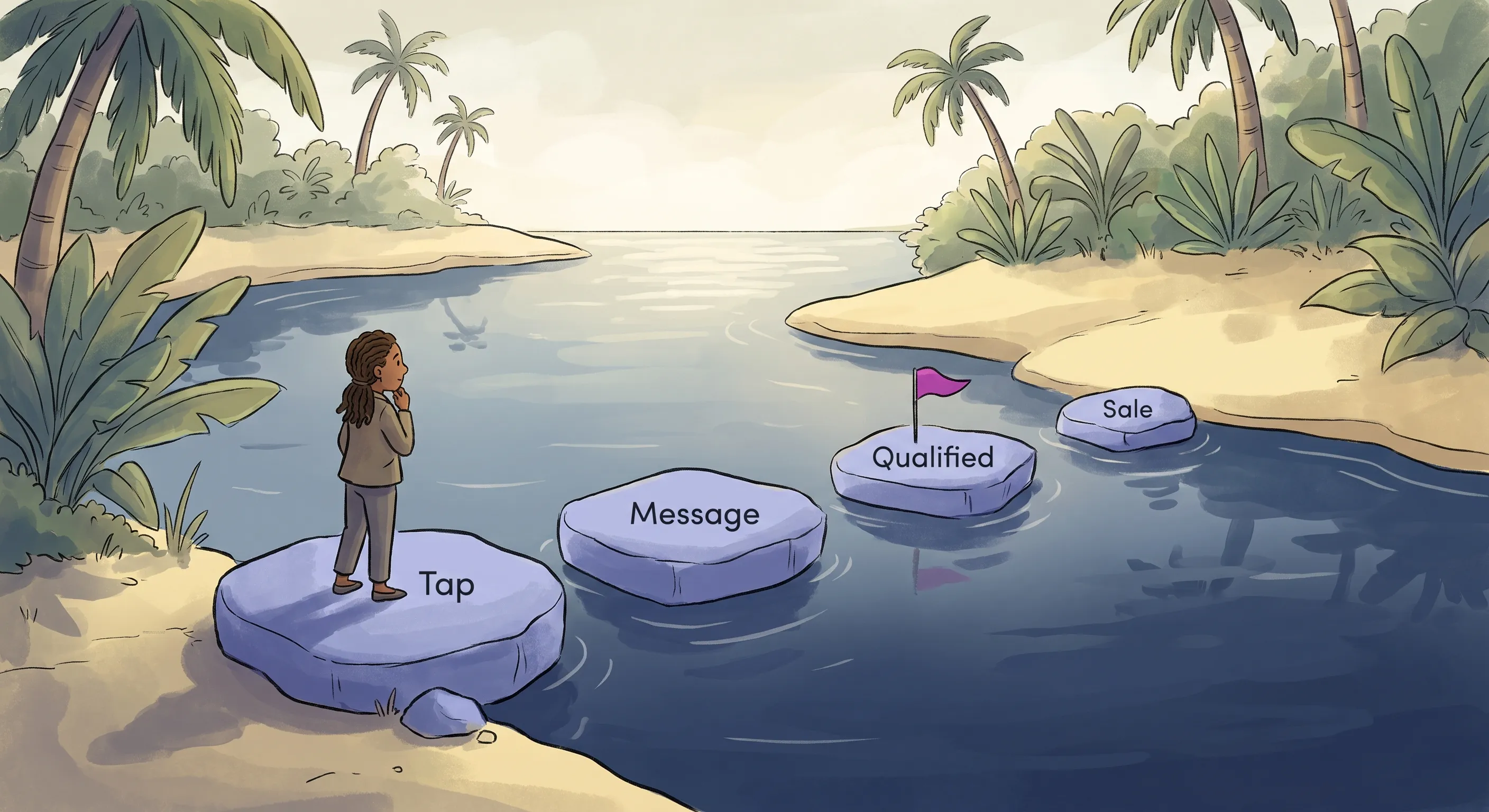
Which of them counts as your conversion is not a property of the events themselves. It is a judgement about what they mean in your business.
A started conversation is the clearest case. Where conversations are scarce and each one is a serious buyer describing a real requirement, it sits close to the money. Where WhatsApp is also your customer service channel and most messages ask about sizes and delivery times, the same event sits a long way from it. Same action, different meaning, decided by what follows it in your business rather than by what it is called.
That decision is yours, and nobody outside your business can make it for you. What makes it a sound one:
Choose the event closest to revenue that you can actually measure. Platforms optimise toward whatever you report, so report the thing you want more of. That is the same reason the button tap is a bad target, and it is the direction to move in whenever you have the choice.
Verify that it predicts revenue before you commit to it. If you settle on a qualified lead, check that your definition of qualified turns into money often enough to be worth buying more of. An event you have tested is a business judgement. An event you picked because it was easy to collect is a guess wearing the same label.
You are choosing what to bid on, not what to measure, and the two are separate. Report every stage of the sequence, make the one you have chosen your optimisation target, and let the rest stay visible as diagnostics without driving delivery.
None of this makes button taps useless. They are a perfectly good diagnostic, and a page whose tap rate collapses after a redesign is telling you something worth hearing. They are a poor optimisation target, and the difference between a diagnostic and a target is the difference between a metric you read and a metric that rewrites your audience.
The tap is also the one event in that sequence that is almost never the answer for anybody, whatever their business, because it happens before the person has said a word. It carries no information about intent, only that a thumb landed on a link.
If any of this is unfamiliar, the underlying idea is that the actions people take are what drive business results, and measuring the right actions is what makes the numbers usable. The Actionable Measurement Framework covers that properly, and it applies well beyond WhatsApp.
Everything below assumes the conversion you report is one you have decided on deliberately. The architectures exist because the outcome happens somewhere your ad platform cannot see, hours or weeks after the click, and getting it back to them is the entire job. Usually it does not even happen in WhatsApp: the conversation happens there, but the order is raised in your store or your CRM, the payment goes through a link, the appointment lands in a booking tool. That widens the gap rather than narrowing it, and it is why the reporting leg is the harder half of this.
What Your WhatsApp Account Can Actually Do
Before any of the methods below, one thing rules most of them out, and it is not your traffic source. It is which kind of WhatsApp account sits behind your number. There are three, they are not interchangeable, and which one you are on decides whether automated conversion tracking is available to you at all.
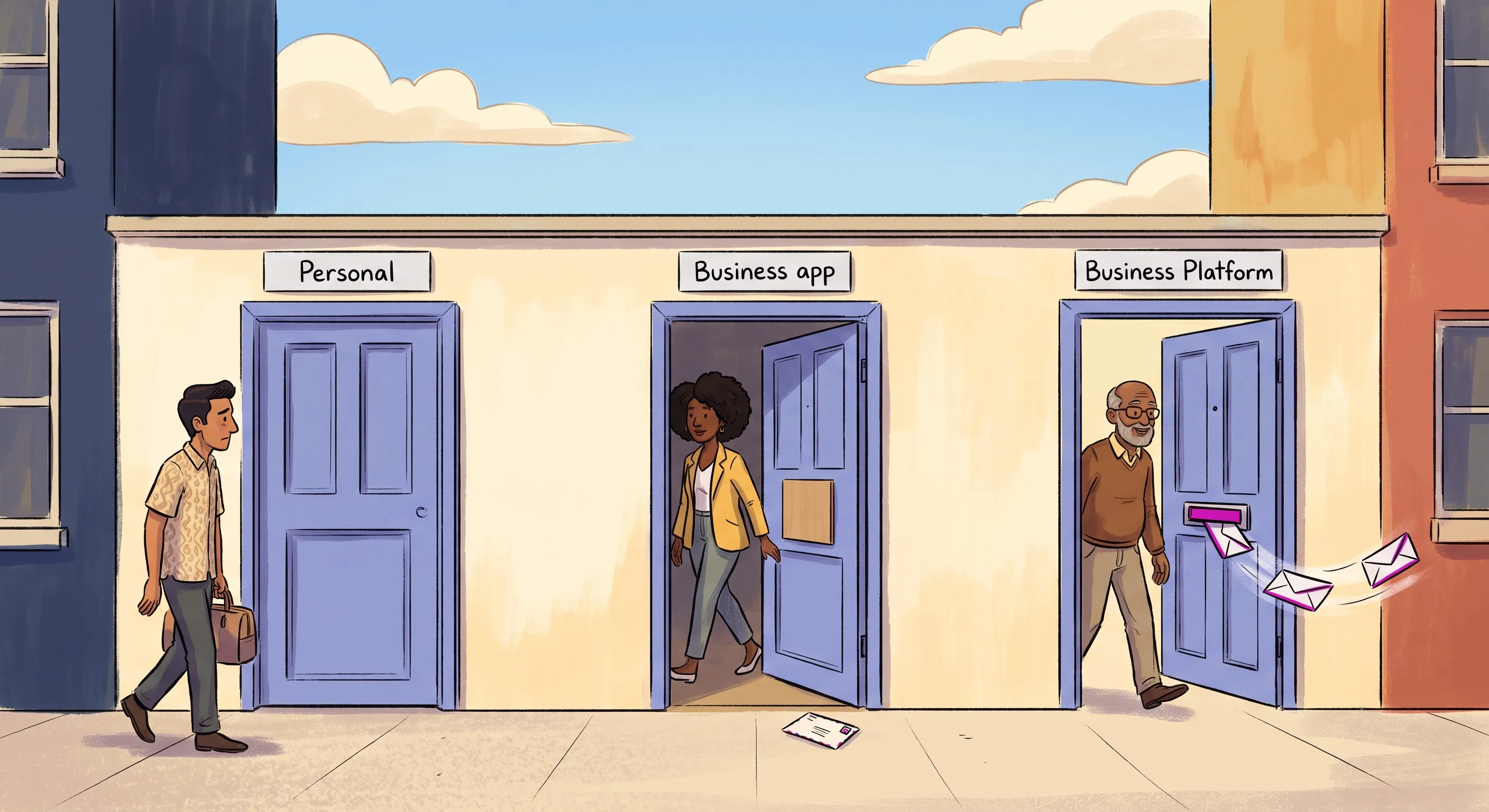
Personal Numbers and the Free Business App
A personal WhatsApp account cannot be the destination for a Click-to-WhatsApp ad at all. Meta has been explicit about this since March 2024: “You cannot use your personal WhatsApp phone number for any new click to WhatsApp campaigns.”
A personal number can still take ad traffic indirectly, through a wa.me link on a landing page, and plenty of businesses run it that way. It is still not a foundation for conversion tracking. Nothing arriving in WhatsApp is readable by any system you control, so every step afterwards depends on a person reading a code off a screen and typing it somewhere else. That does not scale, it stops whenever that person is busy, and it is error prone in a way that hides itself: a mistyped or transposed reference matches nothing, so it looks like missing data rather than wrong data, and nobody goes looking for it. Nor can it report outcomes back to the ad platform on any dependable schedule, which was the entire point of the exercise.
There is a decision hidden inside the fix.Meta documents two ways out, and they are not equivalent. You can move your existing number across to WhatsApp Business, which is free and carries your chats and contacts with it, or you can set up a new number and keep the old one personal. Moving merges your personal chats and contacts into the business account, which some people will not want. Starting fresh avoids that, but in Meta‘s words, “you cannot use the existing number in ad campaigns”. So if your personal number is already printed on your vehicles, your business cards and your website, moving it is the option that keeps it working, and the choice is easier to make before the ads are running than after.
The free WhatsApp Business app clears that first bar and then stops at the next one. It can be the destination for Click-to-WhatsApp ads, which a personal number cannot, but it has no webhooks, the automatic notifications a platform sends your system the instant something happens, so the click identifier described later never reaches you. Meta‘s own description of the two products is the clearest statement of the limit: the app is “intended for small businesses whose primary need is to communicate with customers 1-on-1 through the mobile app”, while the Platform is what lets a business “connect thousands of agents and bots to interact with their customers programmatically” and integrate with CRM and marketing systems. You get a better inbox, not better measurement.
How You Actually Get API Access
The dividing line is the WhatsApp Business Platform, which is the name for WhatsApp‘s API product. An API is simply a way for two systems to exchange data directly, with no person in the middle. The phrase makes it sound like something you commission and build. For most businesses it is something you buy, or something you already have and have not noticed.
There is more than one way in.
- Direct with
Meta‘sCloud API. You connect your own systems toWhatsAppand own the integration. This is the developer route. It makes sense if you already have engineering capacity and want to control the whole pipeline. - Through a
BSP. These are companiesMetaauthorises to provide and supportWhatsAppAPIaccess. Expect to meet several names for the same thing:Meta‘s help centre calls them business service providers, its developer documentation calls themSolution Partners, and much of the industry still says Business Solution Provider. They handle onboarding, number verification and the technical connection, and you build on top of what they give you. - Through a
CRMor chat platform you may already pay for. Tools of this kind bundleWhatsAppAPIaccess with a shared team inbox, automation and reporting. This is how most small businesses actually get there.
That third route is the one worth checking before you plan any work. If your WhatsApp already runs through a CRM or chat platform, the capability this post describes may already be sitting in your account. Those platforms receive the webhooks, so some of them capture the ctwa_clid for you and can send conversions back to Meta without you writing anything, and some cannot. Look for Click-to-WhatsApp attribution, Conversions API, or an ad-source field on the lead record before assuming anything needs building.
What is missing in that case is rarely the plumbing. It is the decision about what counts as a conversion and when to send it, which no tool makes for you and which the rest of this post is really about.
Tracking When the Ad Opens WhatsApp Directly
On this path the user never touches your website, so there is nothing to capture and nothing to bridge. The platform already holds the identity. Your work is entirely on the return leg: telling it what the conversation turned into.
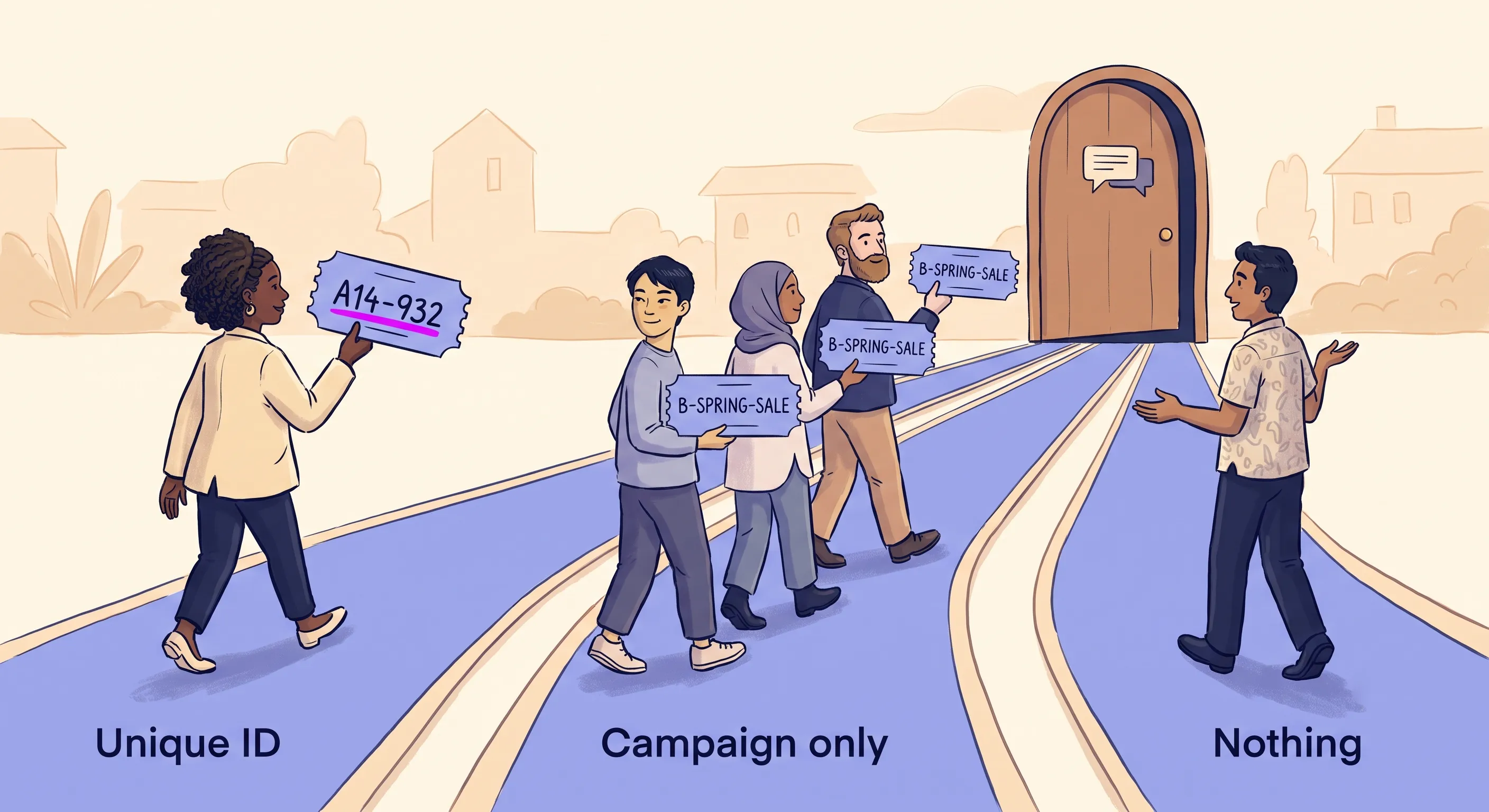
Meta Click-to-WhatsApp: Native but Incomplete
What Meta can see.
When someone clicks a Click-to-WhatsApp (CTWA) ad on Facebook or Instagram, they are deep-linked directly into the WhatsApp app. Because both platforms belong to Meta, the company has native visibility into the ad click and the subsequent chat opening. Meta calls these interactions “entry-point conversations” and tracks them automatically within Meta Ads Manager. Setting up CTWA ads is relatively straightforward, and Meta incentivises the format with a free entry point window: when someone starts a chat from a CTWA ad, that window stays open for 72 hours and any message you send inside it is free. Meta charges per message, and has done since 1 July 2025, when it replaced the older per-conversation pricing. The free entry point window applies inside that per-message model.
What Meta cannot see by default.
Tracking that a conversation started is not the same as tracking a business outcome. If your campaigns are optimised for conversation starts, the algorithm delivers people who open chats, not necessarily people who buy, book, or qualify as leads. Without downstream conversion signals, the algorithm has no way to distinguish a conversation that led to a sale from one that went nowhere.
The fix: Meta Conversions API.
To close the loop, you need to feed downstream events back to Meta. The mechanism works server-to-server. When a user clicks a CTWA ad and sends their first WhatsApp message, Meta includes a referral object in the webhook payload carrying a ctwa_clid, a unique click identifier. That is the link between the conversation and the original ad, and nothing has to be injected into the message to get it there.
Whether any of this reaches you at all.
The ctwa_clid arrives by webhook, and webhooks belong to the WhatsApp Business Platform, the API product, whether you use Meta‘s Cloud API directly or get to it through a BSP. The free WhatsApp Business app does not receive webhooks, so there is no referral object and no click identifier, however well your ads are built. That is the dividing line for this entire section. You can run Click-to-WhatsApp ads perfectly happily on the free app and simply never learn which ad produced which conversation, and no configuration on the ads side changes that. If you are on the free app and running CTWA ads at all, moving to the API is the prerequisite rather than the upgrade.
One placement is an exception even with the API in place. Meta‘s reference states that the click identifier is omitted when the message came from an ad placed in WhatsApp Status, so that placement does not behave like a Facebook or Instagram ad and nothing described below applies to it.
It does have to be caught as it arrives. Meta‘s reference is specific that the referral object is “only included if message sent via a Click to WhatsApp ad”, so it rides on the message that came from the ad rather than sitting on the conversation for you to read later. A system that misses that message, because a bot was busy elsewhere or a rule swallowed it, does not get a second chance at the identifier. Store it against the conversation the moment it lands. As the conversation progresses through your CRM or automation platform, your system evaluates the user’s intent. When a qualifying action occurs – a purchase completed, a lead marked as qualified, a booking confirmed – your backend packages the event data alongside the ctwa_clid and transmits it directly to Meta‘s servers via the Conversions API (CAPI). Meta matches the ctwa_clid back to the original ad interaction, registering a bottom-of-funnel conversion.
What the event has to say.Meta‘s Conversions API is one endpoint serving every kind of conversion it sells ads for, so an event has to declare which world it came from. Get that wrong and it fails quietly rather than loudly: the event is accepted, reporting looks healthy, and nothing is ever matched to an ad. Three parts of the payload do that work.
action_source, set tobusiness_messaging, says the conversion happened in a messaging thread rather than on a website. Left at the web default,Metagoes looking for browser identifiers that never existed, because there was never a browser.messaging_channel, set towhatsapp, says which messaging surface.Metaruns ads intoMessengerandInstagram Directtoo, each with its own click identifier, so this is what points the match at the right pool.ctwa_clidtravels inside the payload’suser_datablock, the section that carries identity, rather than alongside the purchase details. It answers “which ad click was this”, and it is the messaging equivalent of the click identifier a web conversion would carry.
That is worth understanding even if you never write a line of the code, because it is the difference between an integration that reports success and one that actually attributes. If your platform or your developer cannot tell you what those three carry, that is the question to press before you trust the numbers.
This gives your Meta campaigns the signal they need to improve: evidence of which ad interactions produced revenue, not just which ones produced chats. It also gives you a definition of your own. Meta changes what counts on its side: it has announced that it is “changing the definition of click-through attribution for website and in-store conversions to exclusively include link clicks”, with likes, shares, saves and comments moving into a separate engage-through measure. A conversion you have defined and reported yourself does not move when Meta redefines its own metrics.
Meta’s Automatic Events: Letting Meta Detect the Conversion
The hardest part of this architecture is not sending the event, it is knowing when to send one. On this path the conversion itself happens inside the chat, where no system of yours is watching, so something has to notice that a conversation became a qualified lead or a sale. Meta offers to do that noticing for you.
Its Automatic Events feature analyses new message threads that began with a CTWA ad, using a combination of pattern matching and natural language processing to spot two things in the conversation: a lead being submitted and a purchase happening. When it detects one, it fires an automatic_events webhook to your system carrying the ctwa_clid, the event name and a timestamp, with the currency and value included for a purchase. You then report it back through the Conversions API as normal.
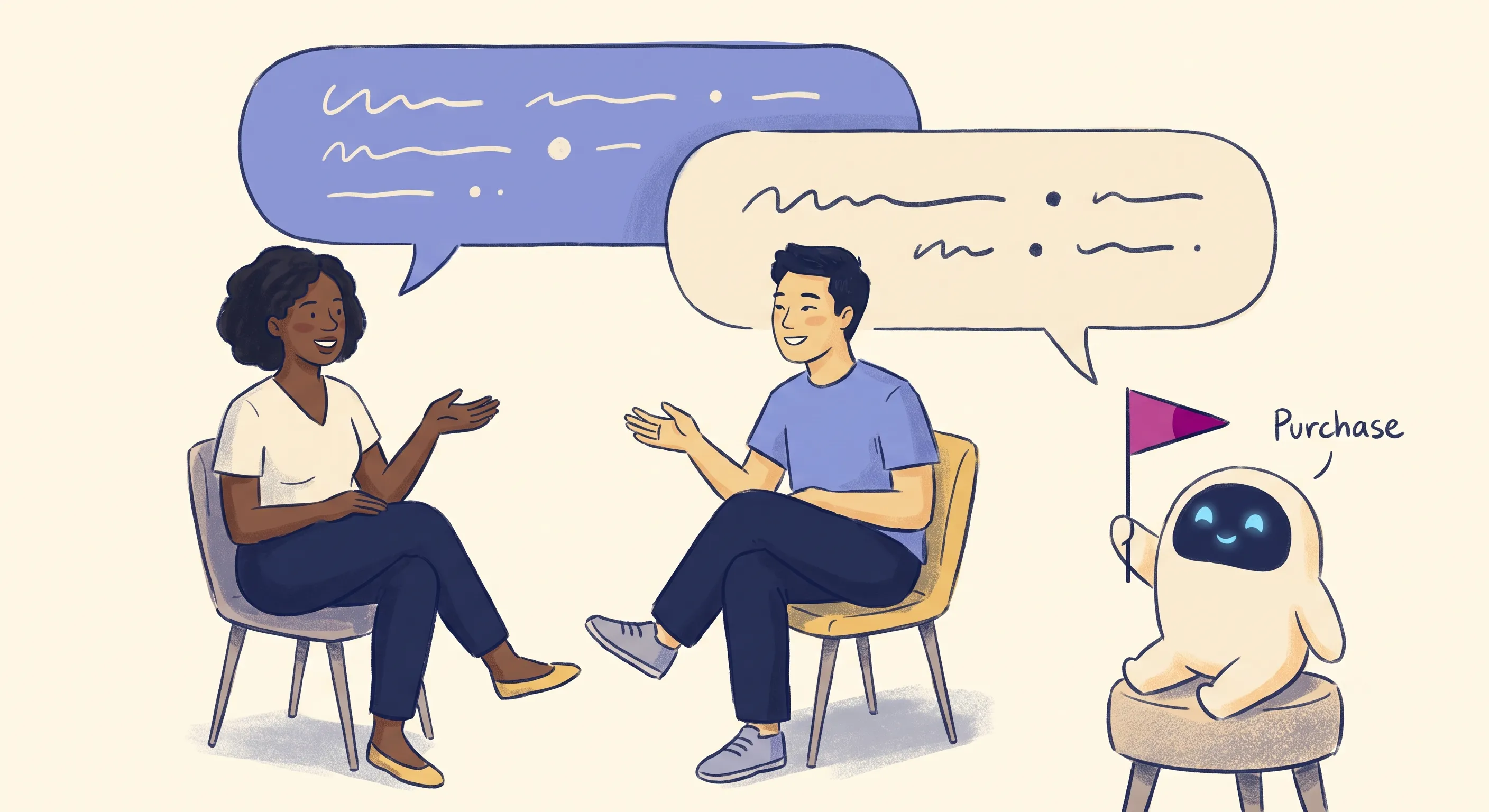
It is opt-in rather than automatic. It is available to businesses that have completed Embedded Signup, your app has to subscribe to the automatic_events webhook field, and it can be switched on and off in Meta Business Suite.
Weigh this before planning around it. It is not available in the European Union, the United Kingdom, or Japan, which rules it out entirely for a large share of businesses. It works by reading your customers’ messages, so a “purchase” is Meta‘s inference from the text rather than a fact from your CRM, and it will be wrong in both directions for any business whose conversations do not read the way the model expects. And it complements the Conversions API rather than replacing it: you are still the one reporting the event.
It is worth checking its current state directly rather than trusting any guide on this, including this one. Meta has been staging how far these events are used inside its own surfaces, and that timeline has moved more than once.
Ads in WhatsApp Status and Channels
Meta sells a third placement that opens a chat, and it behaves differently enough from the two above to be worth separating out. Ads can run in WhatsApp Status and Channels, a placement Meta makes available “only in Meta Ads Manager“. They appear alongside status updates and channel content rather than in personal chats, and someone who interacts with one is “sent directly to a chat with your business”.
So far that describes a Click-to-WhatsApp ad. The difference is what comes back.
No click identifier is delivered for this placement. Meta‘s webhook reference states that the ctwa_clid is omitted when the message arrived from a WhatsApp Status ad placement. Everything in the previous two sections depends on that identifier, so none of it is available here, whatever your account is set up to do.
What you get instead is Ads Manager reporting, which in Meta‘s words covers “impressions, clicks, and messaging conversations started”. That is the proxy metric the button-click section above is about, arriving this time as the only metric on offer.
This makes the placement the same shape as the hardest case in this whole subject, described below under Google‘s message assets: an ad that opens WhatsApp directly on a surface that gives you nothing to attribute an outcome with. The workaround there is the workaround here, and so is its ceiling. You can separate campaigns by what the person arrives carrying. You cannot separate people.
TikTok Instant Messaging Ads
TikTok also offers Instant Messaging Ads that deep-link directly into WhatsApp rather than routing through a landing page, which puts them on this path.
TikTok cannot see inside WhatsApp, because Meta owns it. Attribution here therefore runs through somebody who is inside the conversation. TikTok recommends connecting to one of its Message Management Tool partners before you set up the campaign, and is explicit that measurement depends on it: in its words, you “will need to connect to Messaging Partners to track events that happen on instant messaging apps”. You can obtain WhatsApp Business API access through that partner.
The partner sends TikTok two things. A tracking ID, which TikTok “uses to determine which advertising campaign drove that conversation”. And keyword signals, where the partner scans conversations for “specific keywords provided by TikTok” and reports findings such as a payment having occurred. TikTok states that “the actual content of messages remains private and is not shared with TikTok“, which describes the arrangement rather than a courtesy: the partner is the only party with access to the conversation.
The consequences are worth holding on to.
That tracking ID is not ttclid. ttclid is a landing page URL parameter and has nothing to do with this path. You will meet both names in TikTok‘s documentation and they solve different problems.
You are not in this loop. Conversions appear in your TikTok reporting because your provider matched keywords you did not choose, on conversations you cannot see them reading. You cannot audit what was counted or override it, and your choice of provider decides what is measurable at all.
Google Ads Message Assets
Google supports this shape too. A message asset attaches a messaging button to a responsive search ad, and in Google‘s words, “user clicks are directed to your preferred messaging platform where customers can start a conversation with your business”. WhatsApp is one of the supported platforms, alongside SMS, Facebook Messenger and Zalo. Google‘s developer documentation puts the same thing mechanically: business message assets “function as Click-to-Message (CTM) assets”, and “when a user clicks a CTM asset, that initiates a messaging connection with the advertiser on WhatsApp”.
No landing page is involved, which puts message assets squarely on this path rather than the website one, and that has a consequence worth understanding before you use them.
There is no documented Google equivalent of ctwa_clid. Meta puts a click identifier into the conversation, which is what makes the fix in the previous section possible. Google‘s documentation for message assets describes asset setup, linking and requirements, and says nothing about a click identifier travelling into the chat, nor about how a conversation is attributed back to a keyword or campaign.
That leaves a trade-off:
- A message asset removes the website, so it removes the
gclidand with it the bridge described in the next section. You gain a shorter path to a conversation and lose the mechanism that would have told you which keyword produced it. - A landing page with a
WhatsAppbutton keeps the extra step, and keeps thegclid, which is the only thing that makes keyword-level attribution possible onGoogle.
If keyword-level reporting matters to you, that decision is made when you choose the ad format, not later when you go looking for the data. It is worth checking the current state of message assets in your account directly. Google describes them as still in beta, ties eligibility to your account’s vertical and to completing advertiser verification, and requires the asset itself to be verified before it will run.
What is left when there is no click identifier.
This is the hardest position in the whole subject, and it is worth naming because it is not confined to Google. When an ad opens WhatsApp directly, there is no browser, so there is nothing to build a bridge from. If the platform also gives you no click identifier, every automatic mechanism in this post is unavailable at once.
One thing survives: the message itself. A Google business message asset carries “a welcome message to prompt the user to initiate a conversation”, which is the text the person arrives with, and assets can be attached at account, campaign or ad group level. So you can put a distinct code in the welcome message of a distinct asset per campaign, and read it back off the incoming message exactly as described in The Pre-Filled Message Problem below.
Be clear about what that buys you. With no browser there is nothing to generate a unique code per click, so every person from that campaign arrives carrying the same one. You get campaign-level attribution, not click-level. You will know which campaign produced a conversation and never which keyword or which person. That is a real downgrade from the bridge, and it is a long way better than nothing, which is the alternative.
The same reasoning applies to any ad platform that can open WhatsApp directly without handing you an identifier. Look for whatever field controls the message the user arrives with, and accept the granularity that field can carry.
Tracking When Your Website Is in the Middle
On this path the user does touch your website, which is both the problem and the opportunity. The problem is that everything the browser knows is discarded at the hand-off to WhatsApp. The opportunity is that for a few hundred milliseconds before that switch, your site is holding the click identifier, the UTM parameters and the session, and it can write them somewhere that survives. It does not even need a page. A link that routes through your own domain on the way to WhatsApp holds the visitor for the same instant and can write down the same things, which is why redirect links belong here too.
The Bridge, and Why Every Platform Needs One
Every ad platform faces the same problem here, Meta included. Someone clicks an ad and arrives on your site carrying that platform’s click identifier, a unique code appended to the URL marking which ad, keyword and campaign sent them. When they tap your WhatsApp button, that identifier is left behind in the browser. It cannot follow them.
Meta is worth singling out precisely because it is not an exception here. The ctwa_clid described earlier only exists when the ad opens WhatsApp directly. Run a Meta ad to a landing page instead and you get fbclid in the browser like everybody else, with the same problem and the same fix. The advantage belongs to the ad format, not to the platform.
This is also where reporting the button tap does the most damage. The platform cannot see anything past the tap unless you build the bridge, so the tap is the only conversion available to import, and importing it trains the account on everyone who tapped and left rather than on the people who actually started a conversation.
The bridge is one pattern, and it is the same on every platform:
- Catch the click identifier when the visitor lands and store it in the browser.
- Pair it with your own reference code when they tap the
WhatsAppbutton, and keep that pairing in a database of your own. - Recover it when the message arrives, by reading your reference back out and looking up which click identifier it belongs to.
- Report the outcome back when the conversation eventually converts, days or weeks later, sending the identifier and the value to the ad platform.
That last step has a name worth knowing: an offline conversion import. It means telling an ad platform about a conversion that happened somewhere it could not watch, after the fact. The platform matches the identifier you send back to the click it remembers, and credits the right ad.
What Your Ad Platform Needs for This to Work
There are more ad platforms than any post can cover, so the useful thing is the test rather than the list. A platform can be bridged if it does two things:
- It puts a click identifier in the landing page
URL. Almost all of them do.Googleusesgclid(plusgbraidandwbraidin some cases),Metausesfbclid,TikTokusesttclid,Microsoft Adsusesmsclkid,LinkedInusesli_fat_id,Xusestwclid,Pinterestusesepik, andSnapchatusesScCid. - It accepts conversions through an
APIafter the fact. This is the condition that actually decides it. Capturing an identifier you can never send back achieves nothing, so check this one before building anything.
If your platform is not named above, look for those two things in its documentation. The vocabulary varies, so the second is sometimes called offline conversions, server-side events, a conversions API, or conversion import, but it is the same capability under different names.
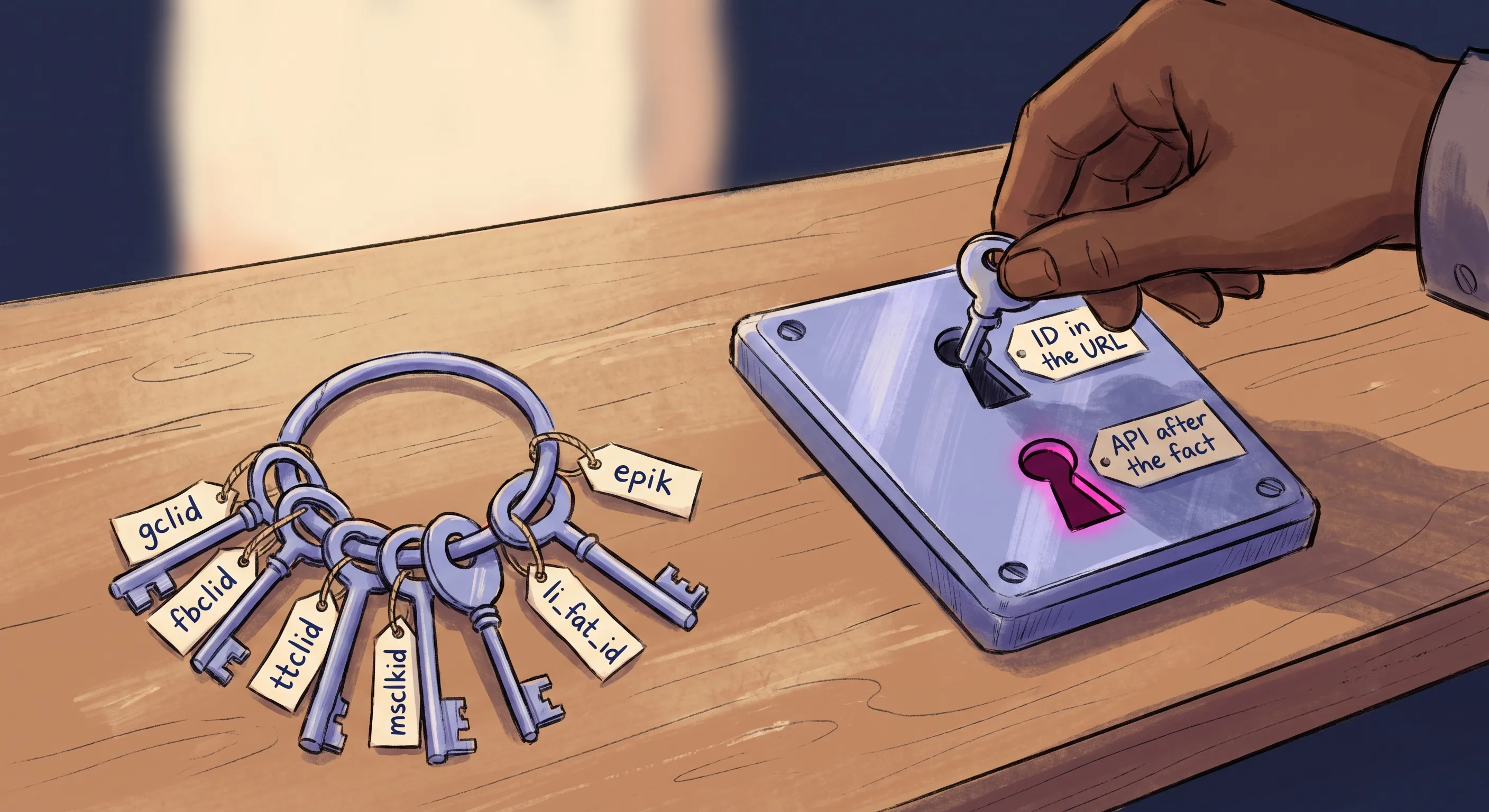
How the bridge works on Google Ads.Google is the clearest worked example, because you control both ends yourself. The sequence:
- The user clicks a
Googlead and arrives on your site.Google Tag Managercaptures thegclidfrom theURLand stores it in a first-party cookie or the browser’s local storage. How long it actually survives there is not entirely up to you, which is covered underSafari‘s tracking prevention below. - When the user clicks the
WhatsAppbutton, your website generates a unique reference ID and stores thegclid–reference ID pairing in a database. The reference ID is then injected into the pre-filled text of theWhatsAppmessage. - The user sends the message.
WhatsAppdelivers it to your system through a webhook. Your system extracts the reference ID from the message text and queries the database to retrieve the correspondinggclid. - When the conversation eventually converts (which may happen days or weeks later), your
CRMuses theGoogle Ads APIto push the conversion value andgclidback intoGoogle‘s ecosystem as an offline conversion.
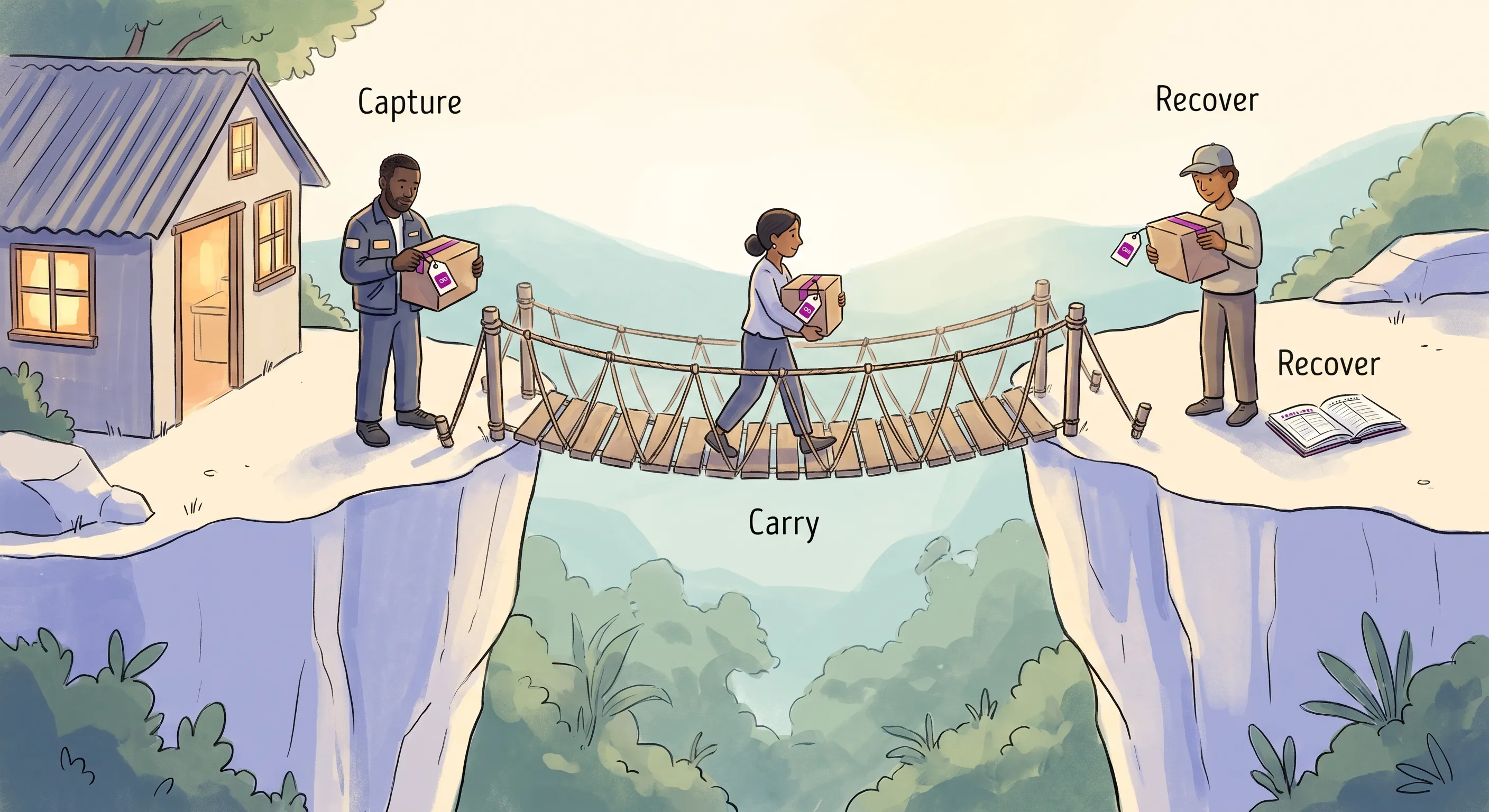
This is not a plug-and-play integration on any platform. It needs somewhere to store the pairings, something listening for the incoming messages, and credentials to talk to the ad platform. It is the mechanism that gives the algorithm something real to learn from, and once you are paying for ads that lead to WhatsApp at all, every dollar without it buys clicks the platform cannot learn anything from.
One Ready-Made Implementation, for Google Only
You do not have to build the Google bridge from scratch, because Google publishes an open-source implementation of it called WCI, Conversion Import for WhatsApp.
The mechanism is the one described above, almost step for step. Someone clicks a “Contact via WhatsApp” link. A cloud function captures an identifier such as the gclid and generates what WCI calls a protocol, which is a unique reference code. The user is redirected into WhatsApp with that protocol sitting in the pre-typed message. When they send it, a webhook attached to the WhatsApp Business Account reads the protocol back out of the message and ties it to both the original gclid and the phone number it arrived from. From there it can feed Google Ads through the Conversion API, build Customer Match audiences, and use Enhanced Conversions for Leads.
Before reaching for it, know what owning it involves. It is a Google Cloud deployment, standing up Cloud Functions, Cloud Run and BigQuery from a Cloud Shell script, so it assumes someone comfortable in that environment and willing to own it afterwards. And Google labels it plainly: “this is not an officially supported Google product.” At the time of writing, its most recent commit was August 2025.
Be clear about its scope as well. It is a Google bridge and nothing else. There is no equivalent published for Microsoft Ads, LinkedIn, Pinterest or the rest, so for any other platform you are building the same pattern yourself or buying it from someone who has. And it is one implementation rather than the definition of one: the pattern is what matters, and building your own or using a platform that already does it are equally valid.
The more useful thing about WCI is what it does not solve. It carries the reference code inside the pre-typed message, exactly as described above, which means it inherits exactly the same exposure: if the user deletes the protocol before pressing send, the attribution is gone and nothing in the architecture can recover it. Google‘s own implementation does not fix that, because it is not a technical problem. It is the subject of The Pre-Filled Message Problem below, and it is the part most implementations, open source or otherwise, leave to you.
TikTok Traffic Through a Landing Page
TikTok sponsored posts that route through your website sit on this path, and the bridge works as it does on Google. The ttclid arrives on the landing page URL, is stored the same way a gclid would be, and is paired with the reference that survives the hand-off. When the conversation converts, the conversion goes back through TikTok‘s Events API carrying the ttclid.
This is a different mechanism from the Instant Messaging Ads described earlier, despite both involving TikTok and WhatsApp. Here the person passed through your website, so you captured the click identifier yourself and the return leg is yours. No messaging partner is involved.
One thing to watch when reading the documentation.TikTok‘s Offline Conversions product matches on email or phone number rather than on a click identifier. That is not a restriction on what you are doing here. It exists because offline conversions usually describe sales that never had a tracked web click at all, such as in-store purchases, phone orders or rows exported from a CRM, where the click identifier was never available to capture and customer details are the only link back to the ad. Your case is the opposite: the click happened, the identifier existed, and you captured it before the visitor left. Keeping hold of it is the entire purpose of the bridge.
Organic Traffic and UTM Parameters
How it works.
Users arriving via organic search, social media profile links, or direct traffic carry no platform-generated click identifier. The standard method is UTM parameter injection: a JavaScript snippet on your landing page reads the incoming UTM parameters (or the referring URL) and injects them into the pre-filled text of your WhatsApp link, so attribution information travels with the user into the chat.
The dark social problem.
If a page URL contains visible UTM parameters and a user copies that URL to share privately via WhatsApp, Signal, or email, the recipient’s visit gets attributed to the original marketing campaign. Your analytics platform misinterprets word-of-mouth referral traffic as paid or owned media. At scale, this silently distorts your channel reporting in ways that are difficult to diagnose.
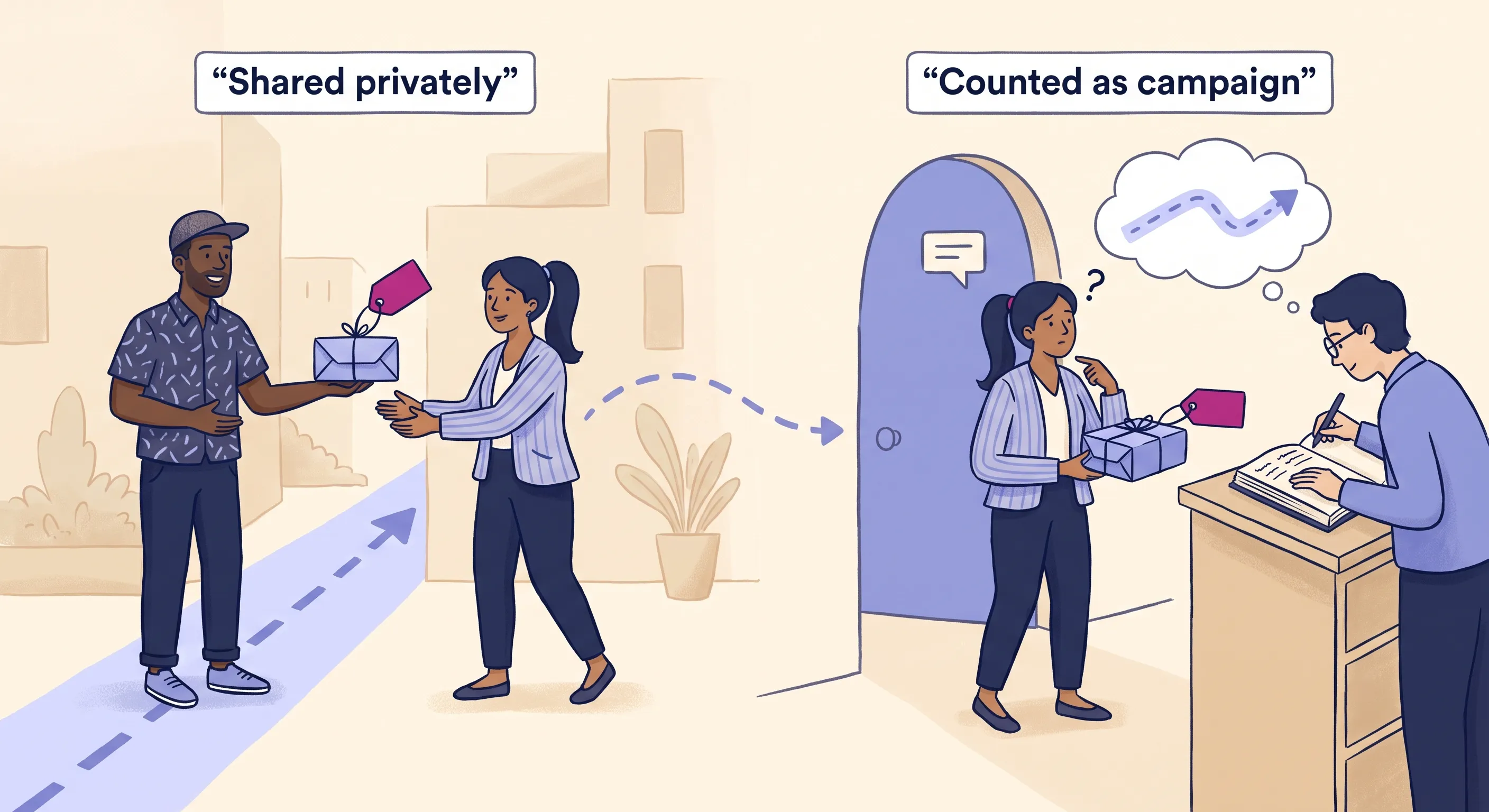
The fix is a URL cleaner script: it logs the UTM data into Google Analytics 4 immediately on page load, then strips the parameters from the visible address bar. Anyone copying the URL after that point gets a clean link, preventing contamination of your attribution model.
Redirect Links and Click Tracking
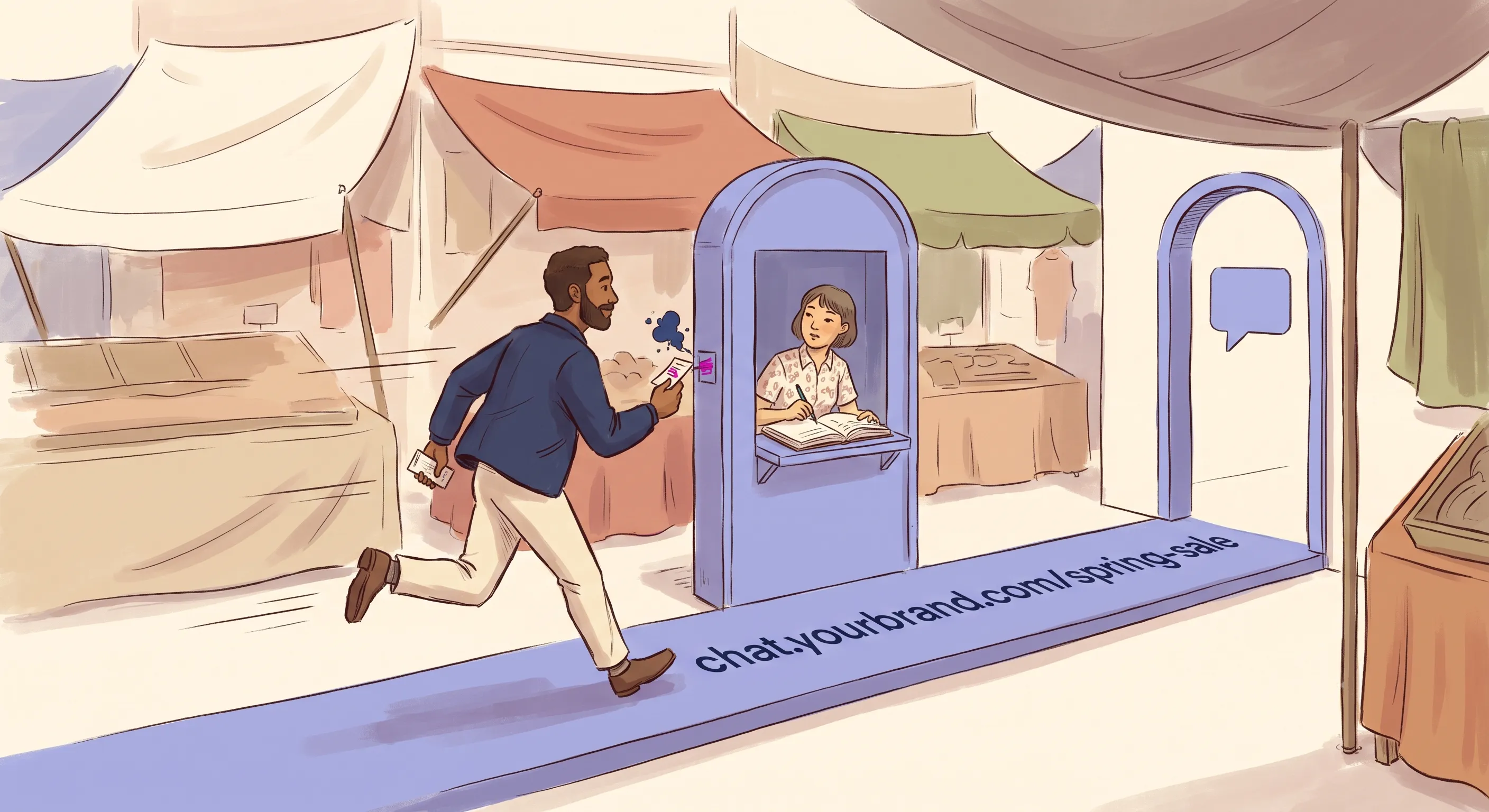
A foundational method for tracking WhatsApp traffic from off-platform placements – social media profiles, email signatures, SMS broadcasts, printed materials – is the intermediate redirect link. Rather than publishing a raw wa.me link directly, you publish a trackable link managed through a platform like Bitly or a dedicated internal routing server.
How the redirect architecture works.
When a user clicks the tracking link, their browser hits the tracking server for a fraction of a second. In that window, the server logs the click event, the timestamp, the user agent (device and browser type), and the IP address. It then immediately executes a 301 permanent redirect, pushing the user’s device to resolve the actual WhatsApp API deep link and open the application.
Why branded domains matter.
Generic shortener domains – bit.ly, tinyurl.com and similar – are frequently flagged by telecommunications spam filters, corporate firewalls, and consumer ad blockers. Links that reach your audience reliably today may be blocked tomorrow as the shared domain’s reputation shifts. Custom branded domains (chat.yourbrand.com/support, for example) stand on your own domain’s reputation rather than a shared one, and the link says where it goes before anyone taps it.
Why the shape of the link matters here.Apple‘s Link Tracking Protection removes known tracking parameters from links opened in Messages, Mail and Safari‘s Private Browsing. WebKit describes it as removing “a subset of query parameters that have been identified as being used for pervasive cross-site tracking granular to users or clicks”, while leaving campaign-level parameters alone. In practice, UTMs generally survive and click identifiers such as gclid and fbclid generally do not.
That lands hardest on exactly the placements this section covers, because an email signature or an SMS link is one paste away from an iPhone message thread. It also argues for a particular shape of redirect link. Put the campaign identity in the path, chat.yourbrand.com/spring-sale, rather than hanging it off the end as a query string. A path is not a tracking parameter and cannot be stripped as one, and your redirect server has already logged the click before anyone reaches WhatsApp.
The Two Kinds of Click Identifier
Both paths are now in view, and stripped of the platform names there are only two kinds of identifier in this whole subject, distinguished by where they arrive. That, rather than which company sold you the ad, is what decides how much work you have to do.
ctwa_clid | Web click identifiers | |
|---|---|---|
| Examples | ctwa_clid only | gclid, fbclid, ttclid, msclkid, li_fat_id and the rest |
| Where it arrives | Inside the conversation, in the webhook | In the browser, on the landing page URL |
| Which journey | The ad opens WhatsApp directly | Anything routed through your website |
| Bridge needed | No | Yes |
| How the outcome gets back | Meta Conversions API | The platform’s offline conversion or events API |
| What limits you | Only available on Meta CTWA ads | Whether the platform accepts conversions after the fact, and who controls the return leg |
Read across the bottom row and the trade-off is visible. ctwa_clid costs no engineering and is available on exactly one ad format from one company. Web click identifiers work everywhere and cost you a bridge.
There is a third position that is neither: an ad that opens WhatsApp directly on a platform that gives you no identifier at all. No browser to bridge from, and nothing handed to you. That is covered under Google‘s message assets above, and the answer there is the pre-filled message at campaign granularity rather than per click.
The Pre-Filled Message Problem
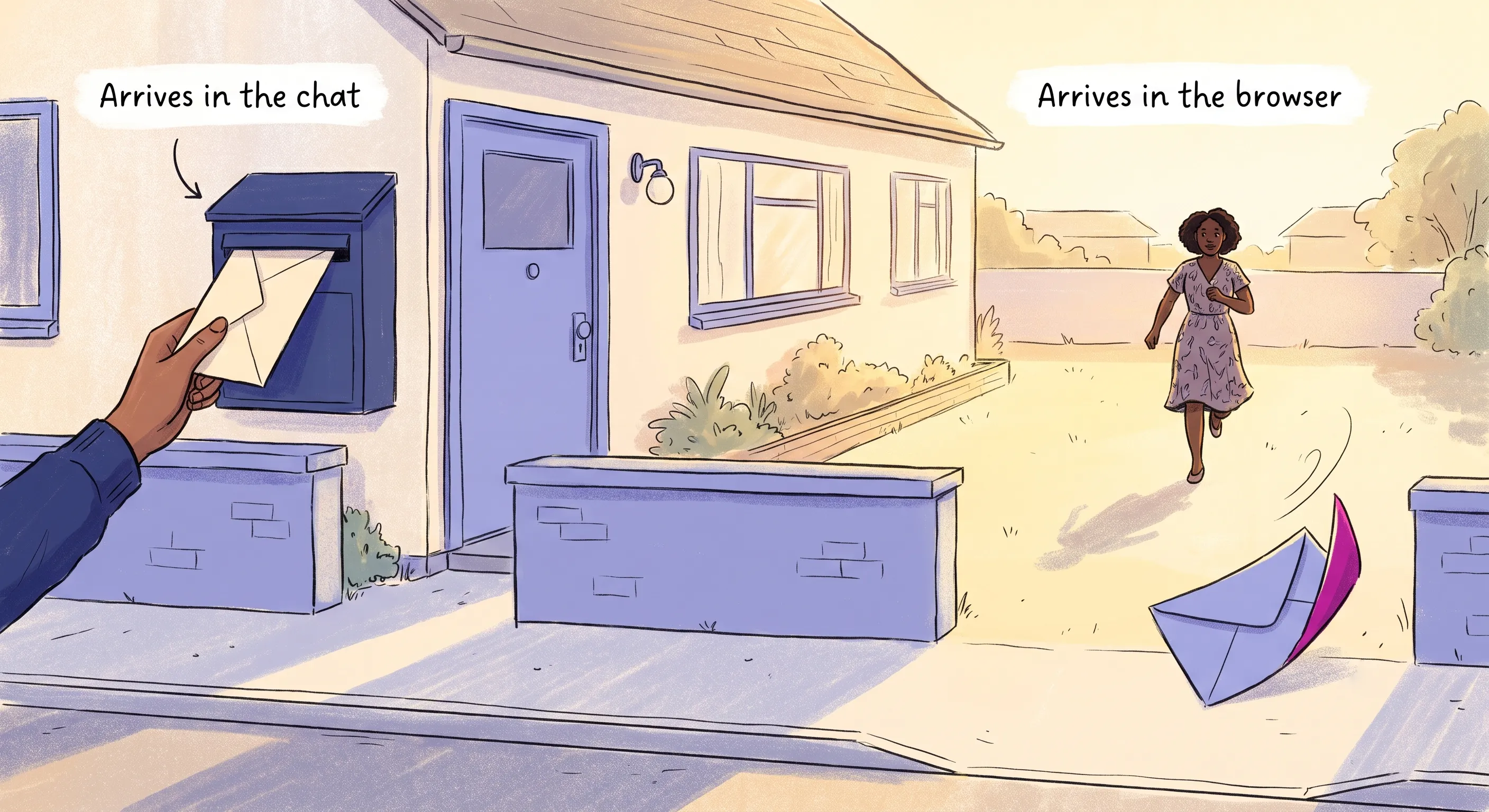
The mechanism that carries tracking data into WhatsApp is also the one the user can edit before it gets there.
The wa.me deep link that opens WhatsApp accepts a ?text= parameter that pre-populates the message input field on the user’s device. This is how tracking data enters the WhatsApp environment: it travels as part of the message the user sends. A fully tracked link produces a pre-filled message along these lines:
I want to buy this. [utm_source=facebook|utm_campaign=spring_sale]The deletion dilemma.WhatsApp is a private space, used mostly to talk to friends and family. A string of tracking code sitting in the input field there looks like surveillance, a broken link or a system error, and the text box stays fully editable until the moment they press send. Some people delete it.

The moment the user deletes the tracking code, the attribution chain breaks permanently and silently. Your WhatsApp inbox receives the message. Your sales team can reply. But your CRM cannot connect that conversation to the ad click that generated it.
WhatsApp offers no way to pass invisible metadata alongside a message, and there is no technical mechanism to prevent deletion. The only solution is a presentational one: the tracking code has to look like something the user actively wants to keep.
The Discount Code Frame
In consumer contexts, the tracking string can be presented as a discount or promotional code. A code that looks like it is worth money to the person holding it gives them a reason to keep it rather than clear it.
On the backend, utm_campaign=retargeting_20 maps to a consumer-friendly string like RETARGET20. The pre-filled message becomes:
Hi! I'm reaching out to claim my 20% discount.
(Promo Code: RETARGET20)
Sent unmodified, it reaches your CRM as RETARGET20, which parses back to the original campaign parameter and attributes the conversation.
The Reference Number Frame
For professional services, B2B enquiries, or any context where a discount code is inappropriate, the same string can be framed as a reference or ticket number. That is a familiar object in a support conversation, and it reads as something the business needs in order to help. An explicit instruction makes that plain:
I would like to schedule a consultation.
(Please do not delete this Ref ID for rapid routing: #Cj0KCQiA...)
The instruction frames the code as something serving the sender’s interests rather than the business’s.
The Product SKU Frame
For e-commerce contexts where a user is contacting from a product page, tracking parameters can be presented as product identifiers. A code like SKU-9948-FB (where FB denotes the Facebook ad source and 9948 the product ID) tells the user the code identifies the item they are asking about, which is information they want the agent to have.
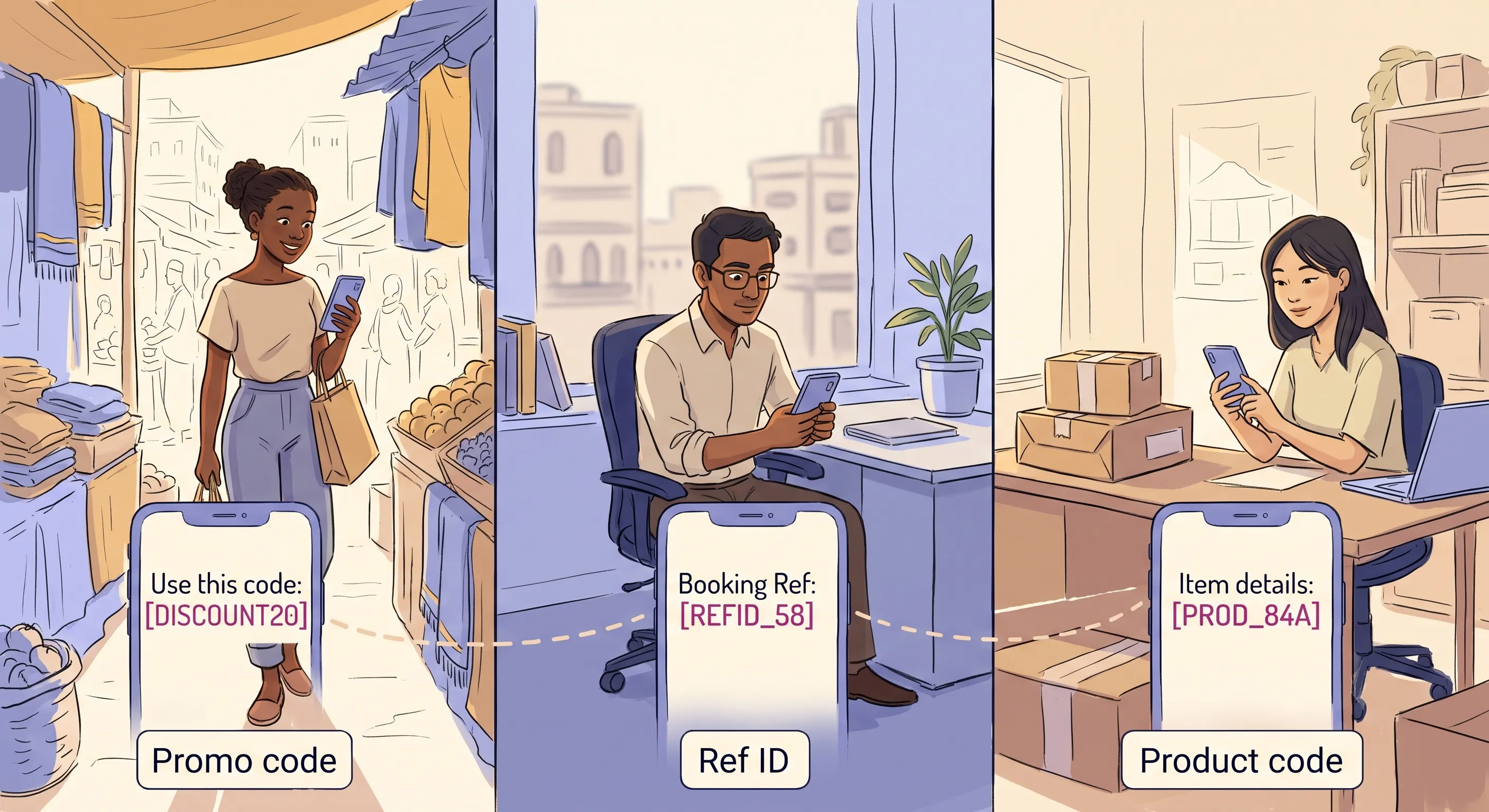
| Frame | Poor UX (high deletion risk) | Optimised UX (high retention) | Psychological driver |
|---|---|---|---|
| Discount code | “I want to chat. [utm_campaign=retargeting_20]” | “I’m reaching out to claim my 20% discount. (Promo Code: RETARGET20)” | Loss aversion |
| Reference number | “I need a consultation. gclid=Cj0KCQiA…” | “I’d like to schedule a consultation. (Please do not delete Ref ID for rapid routing: #Cj0KCQiA…)” | Compliance, fear of delay |
Product SKU | “How much is this?” | “I have a question about this item. (Product Enquiry: SKU-9948-FB)” | Logic, conversational context |
Formatting That Reduces Deletion
Beyond framing, how the tracking string is laid out decides how much it intrudes on the message the person actually meant to send.
- Syntax separation. Place the tracking string at the end of the message, separated from the human-readable text by at least one full line break, enclosed in brackets
[ ]or parentheses( ). Never embed it in the middle of a sentence. URLencoding. When generating the?text=parameter programmatically, all spaces, line breaks, and special characters must be properlyURL-encoded to prevent the link breaking on different mobile operating systems. A space encodes as%20, a line break as%0A, a colon as%3A. A correctly constructed link looks like:https://wa.me/1234567890?text=Hi,%20I%20need%20help.%0A%0A(Ref:%2012345)WhatsAppformatting. Wrapping the tracking string in asterisks renders it as bold (*Ref ID: 12345*), which sets it apart from the sentence above it.WhatsAppalso has a monospaced style, which takes three backticks on each side, and a separate inline code style on a single backtick. Check either before relying on it:WhatsApp‘s own formatting guide states that its newer formats, inline code among them, are available only on Web and Mac desktop, which is not where awa.metap from a phone lands.- Parameter substitution. Replace raw, recognisable
UTMparameter names with short internal codes.utm_source=facebookbecomesst_src=fb;utm_campaign=spring_salebecomesst_cmp=ss. Shorter strings are less recognisable as tracking mechanisms and take up less of the message.
A Code in the Message Is Not Proof It Was Recorded
Deletion is the visible failure. The invisible ones matter before you trust this mechanism, because they produce a message that looks perfectly attributed and is not. They come from running one of these systems in production rather than from any documentation.
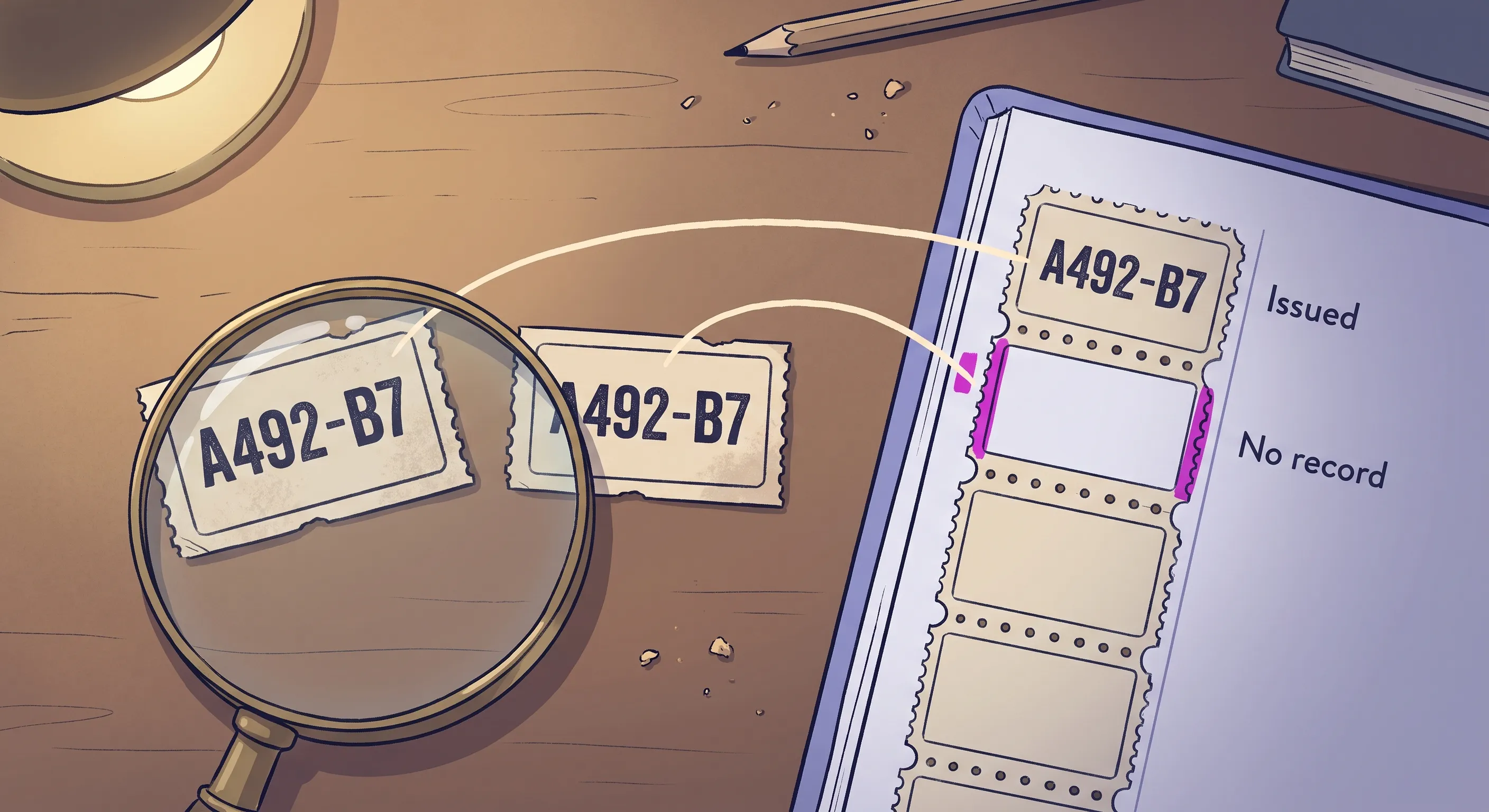
The code was never issued.WhatsApp buttons are often built with an example reference already sitting inside the link, on the assumption that a script will replace it with a real one at click time. If that script does not run, the link still works. The user still sends a message, and that message still carries a plausible-looking six-character code. Your system reads it, stores it, and reports the lead as attributed. In one deployment a single such placeholder turned up on dozens of separate leads before anybody noticed that a reference identifying one click cannot legitimately appear on more than one. The design failed open, and that is the actual defect: a broken tracking path did not lose attribution quietly, it manufactured a false one.
The code was issued but never recorded.
Capture scripts typically send the reference to your server and then rewrite the link, using a fire-and-forget request so it survives the page transition into WhatsApp. The rewrite is not usually conditional on that request succeeding, and it cannot easily be, because there is no time to wait for a response. So when the request never lands, the user’s message carries a genuine, well-formed reference that matches no record on your side. Nothing about the message looks wrong, because nothing about it is wrong. The failure happened on your side, before the user ever pressed send.
Both have the same remedy, and it is not a better code format. Validate a reference by issuance: does a record exist saying you handed this one out? Shape and length tell you nothing, because a code that looks correct is precisely what both failure modes produce. A missing issuance record tells you everything.
The design lesson generalises past WhatsApp. Anything on a tracking path that can fail should fail visibly empty rather than plausibly full. Leaving the example reference out of the button entirely, so that a script failure produces a message with no code at all, turns a fabricated attribution into an honest gap, and an honest gap is something you can count and act on.
Tracking Methods Compared
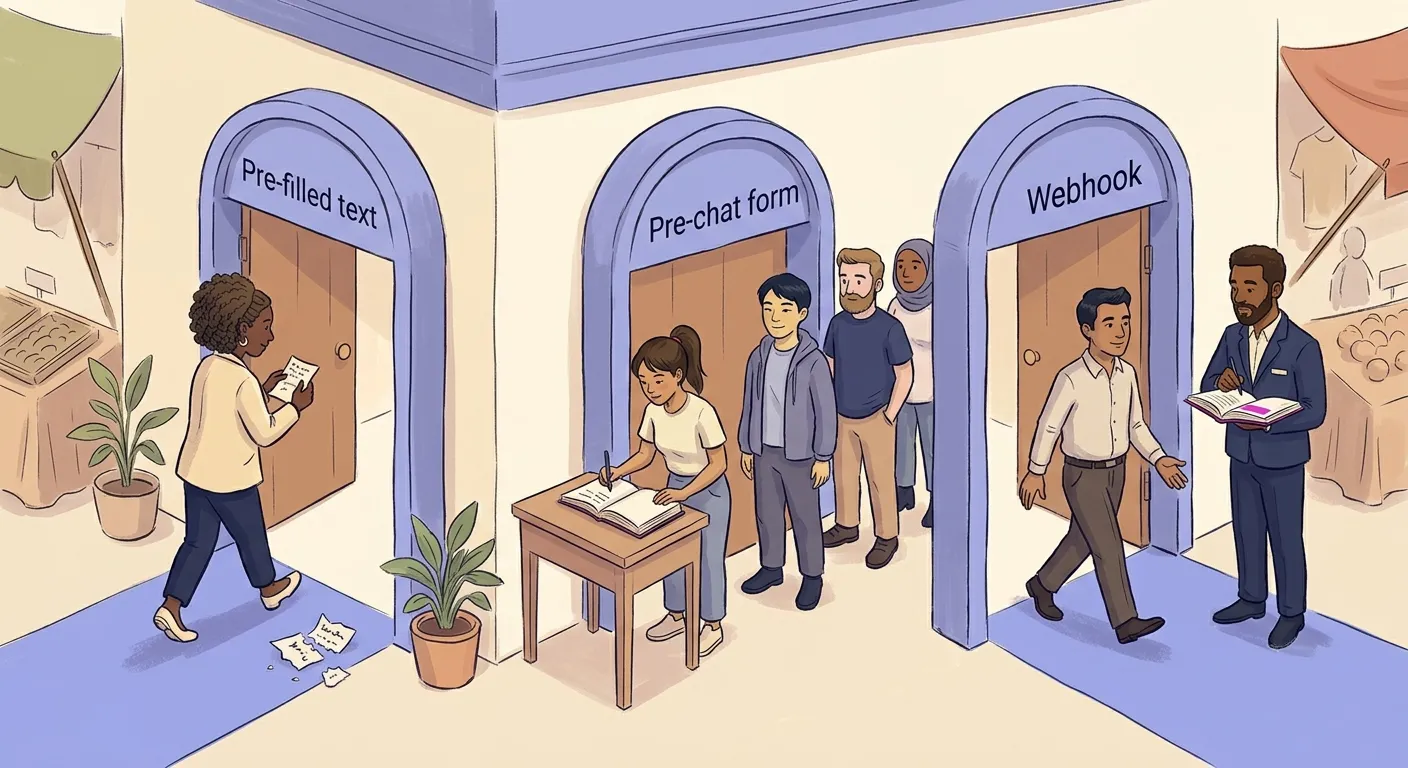
Every tracking method works in two phases. The first phase captures the association between the WhatsApp conversation and the original ad click, before or during the hand-off. The second phase uses server-side infrastructure to report the final conversion back to the ad platform when a qualifying outcome occurs. The methods differ in how they handle phase one; phase two is the same regardless.
Pre-Filled Text
How it works.
Tracking data is injected into the wa.me link’s ?text= parameter and travels into WhatsApp as part of the user’s first message. Your system reads the incoming message, extracts the tracking string, and attributes the conversation.
Pros.
Attribution requires no additional infrastructure beyond the tracking link itself. Friction for the user is minimal; WhatsApp opens immediately on click.
Cons.
Data fidelity is medium at best. Attribution depends entirely on users sending the message without editing out the tracking data. Even well-framed codes are deleted by some users. There is also no fallback: if the tracking string is deleted, the lead is permanently unattributed.
Best for.SMBs managing low to medium volumes, organic traffic tracking, basic campaign attribution as a starting point.
Pre-Chat Form
How it works.
Rather than immediately opening WhatsApp, clicking the button triggers a lightweight popup form on the website, typically requesting a name and email address, and occasionally a phone number. Once the user submits the form, the browser captures the gclid, UTM parameters, and the submitted contact data directly into the CRM. Only after this data is locked in the database does the system trigger a JavaScript redirect to open WhatsApp.
Pros.
Attribution is captured entirely within the browser before the hand-off, making it deterministic: nothing the user does in WhatsApp afterwards can break it. There is also a significant secondary benefit: if the user abandons the WhatsApp conversation after the app opens, the business still has their name and email address for retargeting via custom audiences or email follow-up.
Cons.
Forms introduce a significant media break that interrupts user momentum. On mobile, requiring an email address when the user only intended to send a quick message costs you a share of the people who would otherwise have made contact. How large a share depends on your audience, your offer and how much they already trust you, so it is worth measuring across the change rather than assuming.
Best for.
High-ticket B2B services, luxury real estate, healthcare lead generation, and complex consulting: contexts where user intent is high, the sales cycle is long, and capturing an email alongside the chat interaction is genuinely valuable for multi-channel nurturing.
Webhook Referral Capture
How it works.
When a user clicks a Meta CTWA ad and sends their first WhatsApp message, Meta automatically populates a referral object in the webhook payload containing the ctwa_clid. Your system extracts it from the incoming webhook and stores it against the conversation. No reference ID needs to be injected into the message text; no form is required before the hand-off. When the conversation converts, your backend passes the ctwa_clid to Meta Conversions API with action_source: business_messaging and messaging_channel: whatsapp to register the outcome.
Pros.
Zero user friction: the attribution mechanism is entirely invisible. No tracking code in the message text means no deletion risk. Attribution is deterministic: it does not depend on the user sending anything intact.
Cons.
Requires WhatsApp Business API access; not available on the free WhatsApp Business app. Only works for Meta CTWA ad traffic. Does not solve attribution for Google Ads, TikTok ads, organic traffic, or any other source.
Best for.
Businesses running Meta CTWA campaigns with WhatsApp Business API already in place. The lowest-friction capture method when those conditions are met.
| Method | Data reliability | User friction | Technical complexity | Best scenario |
|---|---|---|---|---|
| Pre-filled text | Medium | Low | Low | SMBs, organic traffic, basic campaign attribution |
| Pre-chat form | High | High | Medium | B2B, high-ticket services, long sales cycles |
| Webhook referral capture | High | None | Medium | Meta CTWA ads, WhatsApp Business API in place |
Reporting the Conversion
Capturing the ad association is phase one. The conversion event (a purchase completed, a lead qualified, a booking confirmed) may happen days or weeks after the first message. When it does, your system needs to push it back to the ad platform.
The mechanism is the same regardless of which capture method you used. Your CRM or automation platform packages the event data alongside the click identifier captured in phase one and transmits it directly to the ad platform’s server. For Meta CTWA ads, this means passing the ctwa_clid to Meta Conversions API with action_source: business_messaging and messaging_channel: whatsapp. For Google ads, it means uploading the gclid alongside the conversion value through the Google Ads API as an offline conversion import. For TikTok ads, it means sending the ttclid to TikTok‘s Events API.
This step is what makes the difference between an ad platform that knows a conversation started and one that knows the conversation led to revenue. It is also what enables algorithmic improvement: Meta‘s Advantage+ and Google‘s Smart Bidding optimise on the conversion signals you send back, not on the clicks they already counted.
One question to ask before you send anything. Is something else already reporting this sale? Duplicate conversions are normally a browser-versus-server problem, solved by giving both copies the same event ID, and a WhatsApp conversion usually has no browser twin to collide with. The version that does bite here is two server-side sources reporting the same order: your chat platform sending the conversion when the conversation closes, and your store’s own Meta integration sending it again when the order is created. A shared event ID cannot reconcile those, because each system generates its own. Meta will not reconcile them either, stating that it “does not assist with deduplicating events for Conversions API for Business Messaging” and that advertisers should deduplicate before sending. Decide which system owns the conversion and switch the other one off, and ask the question before both are live rather than after the numbers look too good.
Making Sure It Actually Works
Nothing that stands between a finished build and a system you can trust announces itself: a reporting deadline you can miss without noticing, a launch that reports success without proving anything. Each is cheap to check and expensive to discover late.
How Long You Have to Report a Conversion
The return leg has a deadline. Every ad platform credits a conversion only if it arrives inside an attribution window measured from the original click, and a conversation that converts after that window has closed cannot be credited however well the rest of it works.
That bites harder on WhatsApp than on a website, because what sits between the click and the outcome is a conversation rather than a checkout. Someone who messages on Monday, exchanges a few messages across the week and buys the following Tuesday has spent the entire window inside the chat.
Meta‘s current standard attribution settings for website and in-store conversions are a click-through window of one or seven days, a view-through window of one day, and an engage-through window of one day. Seven days is the longest available. A twenty-eight day click figure still exists for comparison and reporting, which is worth knowing because the two are easy to confuse: being able to report on a window is not the same as having your conversions credited by it.
Treat every other platform as a number to look up rather than one to assume, and check where your own account is actually set rather than what the documentation gives as a default.
Measure your lag against your window. In one deployment the longest observed gap between the ad click and the reported conversion was five days, against a seven-day window, with nothing falling outside it. That was a comfortable result and it was only knowably comfortable because somebody had measured it. Two more days of ordinary sales-cycle drift would have started dropping conversions, and nothing anywhere would have announced it: a conversion that misses the window is not an error, it is a slightly smaller number.
Prove It Works Before You Trust It
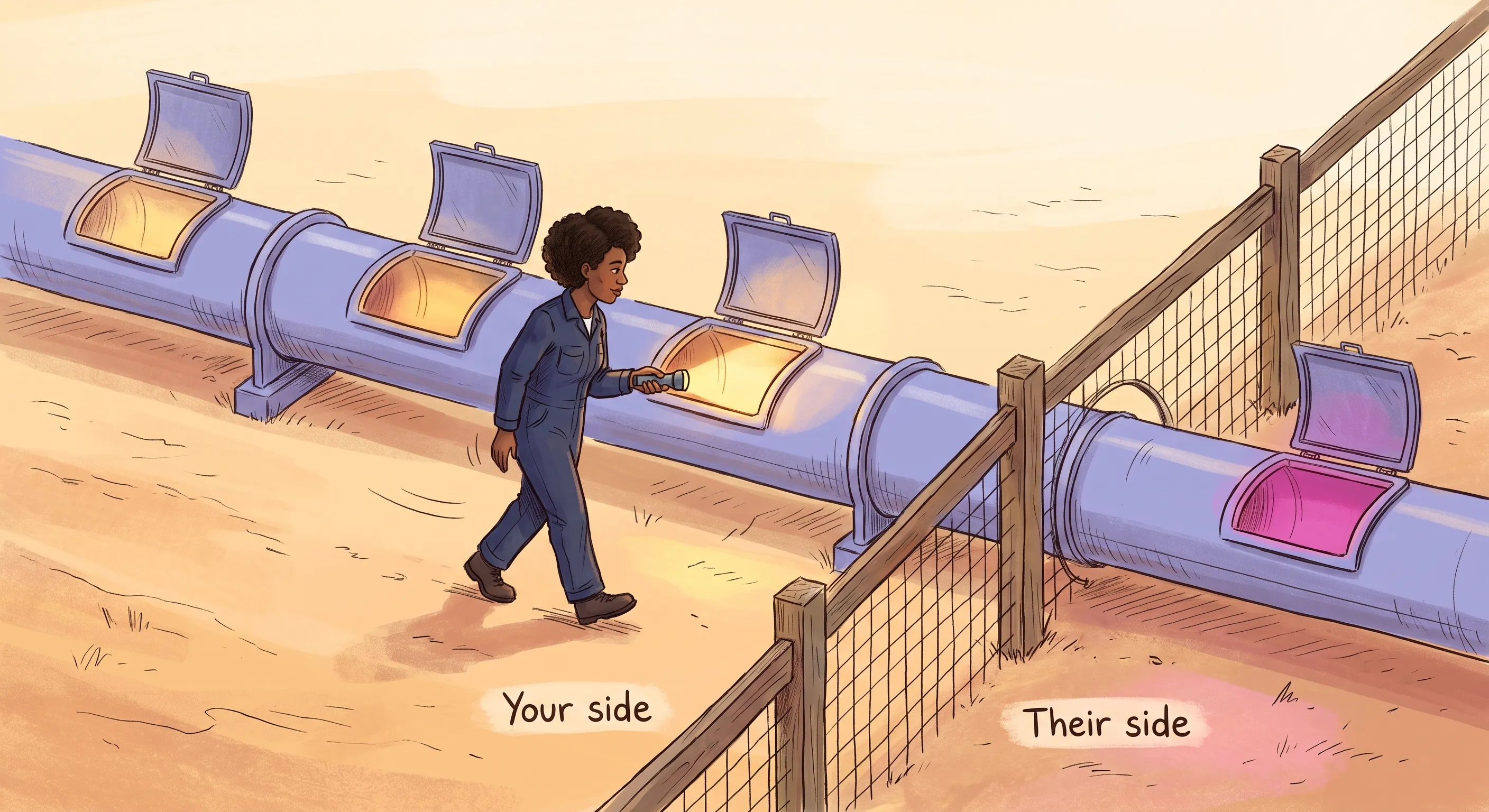
A pipeline can report success at every step and still be attributing nothing. Every failure described in this post produces a system that looks healthy from the inside: a reference that was never issued, a reference issued and never recorded, a capture process that stopped without erroring. None of them light up a warning, so the only way to know the architecture works is to walk a real conversion through it and check what arrives at each stage.
Do it once per entry point, because the paths fail independently. A working Meta CTWA route tells you nothing about whether the button on your product pages is rewriting its link.
- Does the identifier arrive? Click your own ad and read the landing page
URL. If there is nogclid,fbclidorttclidin it, nothing downstream can work, and the fault is in the ad or a redirect rather than in your tracking. - Was it captured? Confirm a record exists on your side holding both the identifier and the reference about to go into the chat. That record is the issuance proof, and its absence is the only dependable way to recognise a reference your system never handed out.
- Did the reference survive the hand-off? Tap the button and read what is sitting in the
WhatsAppmessage box before sending it. A broken script shows itself here, either as a missing code or as a placeholder that will look perfectly valid by the time it reaches you. - Did the lookup succeed? Send the message, then confirm your system matched it back to the record from step two instead of storing an unmatched reference and carrying on.
- Did the platform accept the event? Complete the conversion and check it in the ad platform’s own reporting, not in your own logs.
The last check is the one your own systems cannot do for you. Error handling on the reporting leg is usually configured so that one platform’s failure does not stop the others, which means a rejected event leaves no trace on your side at all. An absence of errors in your logs is not evidence that anything was received. Meta and TikTok both report what they received against what they processed, and a gap between those two numbers is a real finding that is invisible from anywhere else.
Whatever this test teaches you is also the shape of your ongoing monitoring, because running it once at launch only tells you the system worked that day.
Privacy, iOS, and Why This Gets Harder Each Year
The browser-tracking environment is deteriorating, not improving.Apple‘s Intelligent Tracking Prevention on Safari is the one that bites hardest here, and the specifics matter because they describe the bridge above almost exactly. ITP watches for link decoration: a visitor navigated to your page by a domain it has classified as having cross-site tracking capabilities, landing on a URL that carries a query string or a fragment. When it sees that combination, it caps the expiry of cookies created in JavaScript on that landing page to 24 hours.
An ad click meets both conditions on essentially every paid visit. It comes from an ad platform’s domain, and it arrives carrying ?gclid= or ?fbclid=. So on Safari the first-party cookie holding your click identifier is a 24-hour cookie, whatever expiry your tag set on it. Local storage is no refuge: ITP deletes cookies created in JavaScript and all other script-writable storage, including localStorage and IndexedDB, after seven days without user interaction with the site.
This is what makes step one of the Google bridge more fragile than it looks. Someone who clicks your ad on Monday, returns on Thursday and taps WhatsApp then can arrive with nothing stored at all, and the failure is silent: the bridge simply produces an unattributed conversation that looks like organic traffic. It is also the strongest practical argument for capturing identity at the moment of the click rather than relying on it still being there later.
iOS adds a second constraint, and it is worth being clear that it works on a different layer. App Tracking Transparency (ATT) requires an app to ask permission before linking what it collects to data gathered by other companies’ apps and websites, and without that permission the device’s advertising identifier comes back as zeros. That governs what an app may do, not what your website may do, so it is not what caps the cookie described above. It matters here because the ad platforms on either side of a WhatsApp journey are apps, and it thins the identity they have to match your conversion against. Separately, a growing share of users browse with ad blockers that prevent client-side pixels firing at all.
The result is that a larger proportion of WhatsApp conversion data fails to reach ad platforms each year when businesses rely on browser-based tracking.
None of this is peculiar to WhatsApp. It is the same erosion working against every kind of measurement that depends on a browser, and WhatsApp sits at the sharp end of it only because the journey leaves the browser altogether. What Is Signal Loss in Digital Marketing? is the wider picture: what Safari and Chrome are each doing to click identifiers, where consent fits, and what a measurement setup that survives it actually looks like. If the section you are reading now explains why your WhatsApp numbers are thin, that one explains why the rest of your reporting is thinning at the same time.
Server-side architectures using Meta CAPI and Google‘s offline conversion imports bypass most of this, because once the identifier is on your server the data travels server to server with no browser or device involved.
The exception is worth being precise about, because it is where most advice on this gets sloppy. Server-side reporting cannot recover an identifier that never arrived. There are two different failures here and they need different answers. If the click identifier reached your page and Safari then capped or cleared the storage holding it, first-party and server-side tracking genuinely solves that, and it is the strongest reason to move to them. If Link Tracking Protection stripped the identifier before the visitor ever reached your page, there is nothing to store and nothing to send, and no amount of server-side architecture recovers it. Only campaign-level parameters survive that second case, which leaves you knowing the channel but not the click.
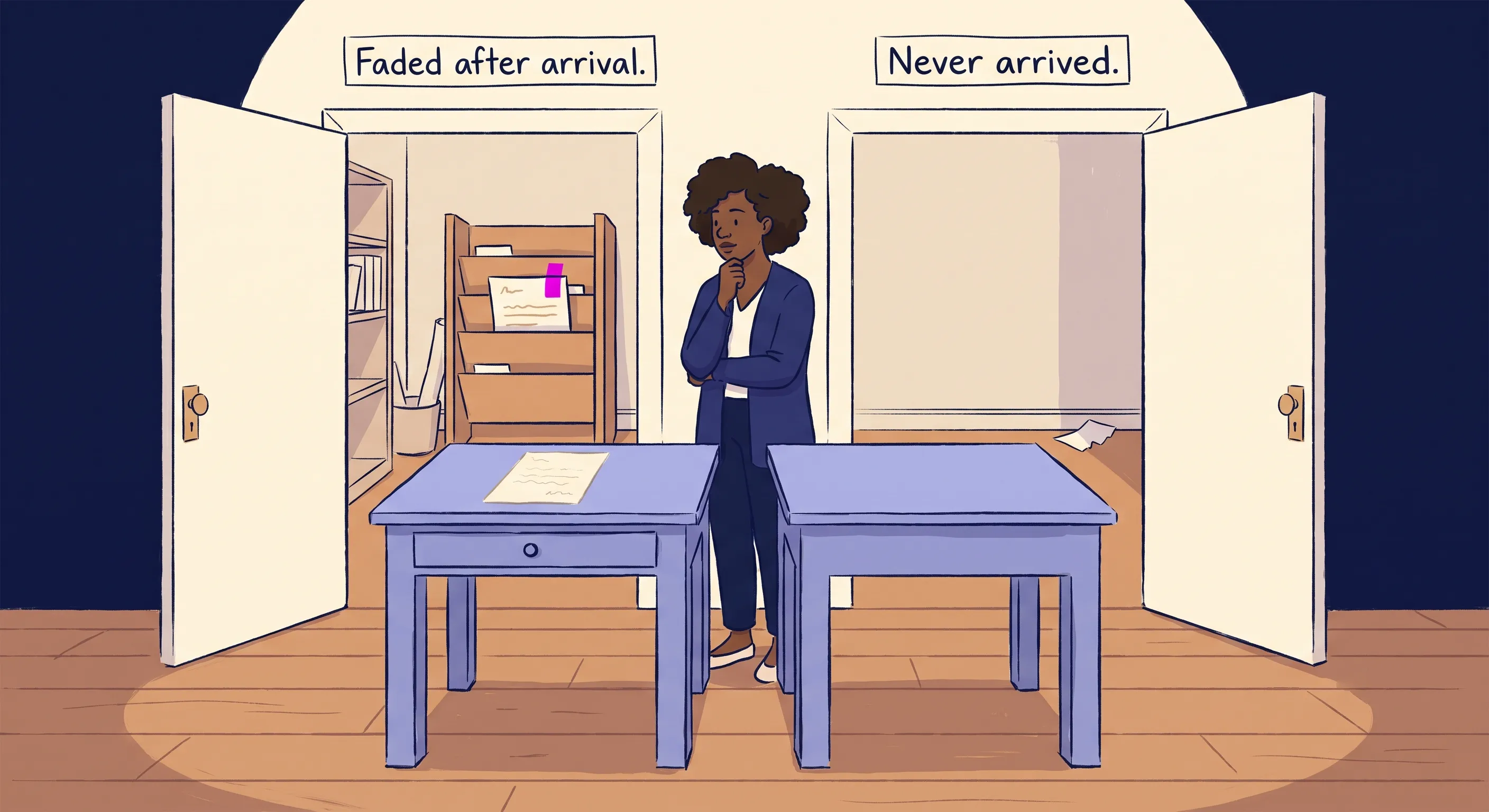
There is a first-party data advantage that strengthens this case. The moment a user messages your WhatsApp number, they provide a verified, deterministic identifier: a real mobile phone number tied to a real person. Unlike an email address typed into a web form, it has been verified by WhatsApp and the person was demonstrably using it moments earlier. Hashed and transmitted via CAPI, it does not decay the way a cookie does.
The regulatory context.GDPR and CCPA impose requirements on consent, data retention, and the prevention of unauthorised tracking. One thing is worth knowing before running commercial messaging through a consumer WhatsApp account. Where contact permission is granted, WhatsApp‘s privacy policy says it uploads “the phone numbers in your address book on a regular basis, including those of users of our Services and your other contacts”, so numbers belonging to people who have agreed to nothing travel from a phone you use for business. Meta states it handles the numbers of people not on WhatsApp “in a way that ensures those contacts cannot be identified by us”. Businesses operating at any meaningful scale, or in regulated sectors, should be using the official WhatsApp Business API, which isolates data handling and integrates with opt-in and opt-out management in an auditable way.
Choosing Your Approach
The first question is not which tracking method to use. It is which path your traffic arrives by, because that decides which of the tables below applies to you.
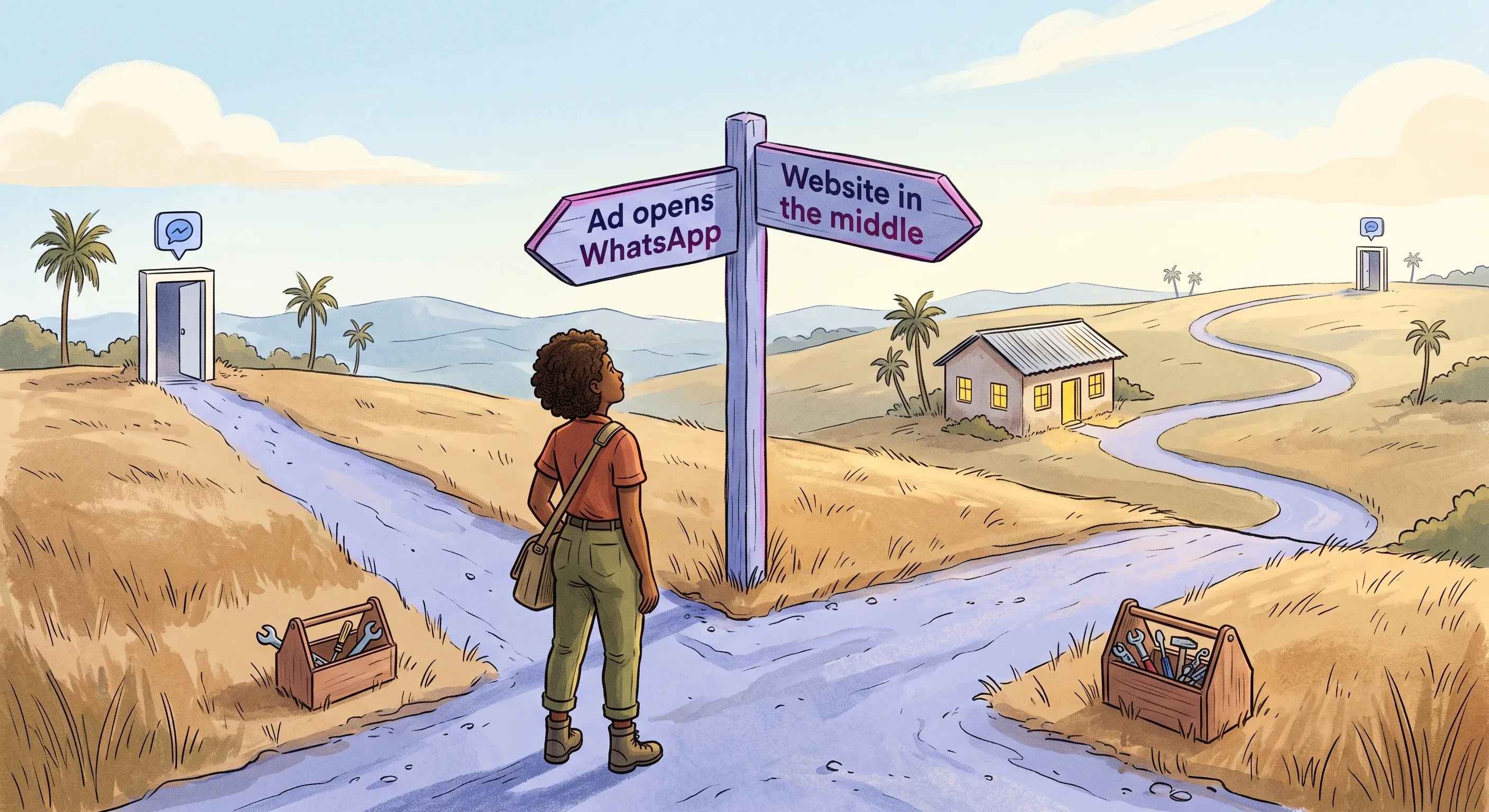
If your ads open WhatsApp directly:
| Your situation | Recommended approach |
|---|---|
Meta CTWA ads, WhatsApp Business API in place | Webhook referral capture + Meta CAPI |
Meta CTWA ads, managed via a BSP or chat platform | Webhook referral capture + Meta CAPI, through that platform. Confirm it exposes the ctwa_clid before assuming |
Meta CTWA ads, free WhatsApp Business app | No ctwa_clid is available to you at all. Moving to the API is the prerequisite for any ad-level attribution |
TikTok instant messaging ads | A TikTok messaging partner, which is what makes any of it measurable |
If your website is in the middle:
| Your situation | Recommended approach |
|---|---|
| Organic website traffic only | UTM injection + URL cleaner script |
Google ads with significant spend | gclid bridge + offline conversion import via the Google Ads API |
TikTok ads routed through a landing page | ttclid bridge + TikTok Events API, no partner needed |
Off-platform links (email, SMS, social profiles) | Redirect links with branded custom domain |
| High-ticket services, long sales cycle | Pre-chat form (capture the email, accept the friction) |
| Multi-platform ad spend at scale | Pre-chat form (deterministic capture) + offline conversion reporting |
Personal number, or the free WhatsApp Business app | Manual reconciliation is all that is available, and it is not conversion tracking. Move to the API before building anything |
| Starting from zero, everything manual | Pre-filled text with reference number framing as the first step |
Most businesses running ads at any scale end up on both paths at once, and the two architectures do not merge into one. Run each on its own terms, and make sure both report the same definition of a conversion, so that a qualified lead means the same thing in Meta as it does in Google. If they do not, you are comparing channels that were measured differently and the comparison will send budget to the one with the looser definition.
Further questions narrow the choice within a path.
How much of your volume is on each path?
Build for the larger one first. Implementing a server-side bridge for a channel sending twelve visitors a month is not a good use of time or budget, however satisfying the architecture is. Whatever the split turns out to be, it is worth establishing before anything gets built.
What happens after the conversation starts?
If conversations are handled by a human in the WhatsApp app, server-side tracking requires additional tooling to capture the conversion moment. If conversations run through an automated flow or a CRM-connected platform, the conversion event is already logged and can be transmitted to the ad platform automatically.
Next Steps
None of this has to start with a build. The first steps cost nothing, and what they tell you decides whether the rest is worth doing at all.
Work Out Which Path You Are On
Before choosing a tracking method, establish how people are actually reaching your WhatsApp number. Check Google Analytics 4 for the sessions that end at a WhatsApp button click, and check your ad accounts for conversations opened directly from ads. Measure the split rather than estimating it.
If nearly all of it arrives from ads that open WhatsApp directly, there is nothing to build on your website at all and the work is entirely on the reporting side. If it comes through your site, the capture layer is the priority and no amount of platform reporting will substitute for it. If it is genuinely both, build for the higher-volume path first and extend afterwards.
Stop Reporting the Button Click
If you currently have a conversion action firing on the WhatsApp button tap, changing it is the fastest improvement available and it costs nothing.
You do not have to stop counting it. In Google Ads the mechanism is the primary and secondary setting on each conversion action: primary actions are “used for bidding”, while secondary ones are “for observation only… but not for bidding”. Demoting the button tap to secondary keeps it in your reporting as a diagnostic and takes it out of the bidding, which is exactly the split described earlier. One trap worth knowing: Google‘s documentation notes that a secondary action is used for bidding if it sits inside a custom goal rather than a standard one, so check which goal it belongs to rather than assuming the label is enough.
Do the same with campaigns optimised purely on conversation starts. This makes performance look worse before it looks better, because the inflated number disappears immediately and the real one takes a reporting cycle to arrive. That is the correction working, not a regression.
Understand the Bigger Picture
WhatsApp conversion tracking solves one specific problem: connecting ad spend and traffic sources to chat outcomes. It sits within a broader WhatsApp operations strategy that covers how conversations are handled, automated, and measured once they arrive. WhatsApp Automation for Small Business: From Free App to AI-Powered Bots covers the full context, from the free WhatsApp Business app through to API-connected automation and AI-powered bots, and is worth reading alongside this post to understand where tracking fits in the wider system.
If You Need Help
Setting up WhatsApp conversion tracking properly involves Meta Business Verification, API credentials, gclid bridge logic, and end-to-end testing across traffic sources. If you would rather have it built correctly from the start than spend time debugging silent attribution failures, get in touch to discuss implementation.
Conclusion
The attribution gap between ad spend and WhatsApp conversations is not a limitation of the available tools. It is a consequence of treating two different journeys as one and then measuring the wrong moment in both.
The businesses that get this right start by naming the path. An ad that opens WhatsApp directly has no browser to instrument and no identity to rescue; the whole job is sending outcomes back. A visitor who arrives through your website has an identity that exists for a few hundred milliseconds and then does not; the whole job is capturing it before it goes. Matching the architecture to the path is what makes the rest of the decisions straightforward: redirect links for off-platform placements, UTM injection for organic, CAPI for Meta ads, the gclid bridge for Google ads.
They also account for what happens to that data once it enters the WhatsApp environment. Pre-filled messages are the primary delivery mechanism and user deletion is the primary failure mode, which is why framing a tracking code as a discount code, a reference number, or a product identifier is not a marketing trick. It is the only mechanism available for preserving attribution across the app boundary when the user is the one carrying it. And the quieter failures are worth the same attention: a code that arrives intact is not proof the system ever issued it, and a pipeline that has silently stopped looks exactly like a pipeline having a slow week.
The deeper shift is in how you define the conversion event. A button tap is not a conversion. A chat opening is not a conversion. A chat that results in a booking, a purchase, or a qualified lead is. Feeding those downstream events back to your ad platforms closes the loop and lets Google‘s and Meta‘s algorithms find more people like the ones who actually buy, rather than more people who tap, open a chat, and disappear.